Best Claude Cowork Alternatives 2026 (Local, Open Source, Codex)
Claude Cowork alternatives compared in 2026: open source and fully local options, alternatives that also run Codex, and the ones that run several agent sessions at once. Verified August 2026.
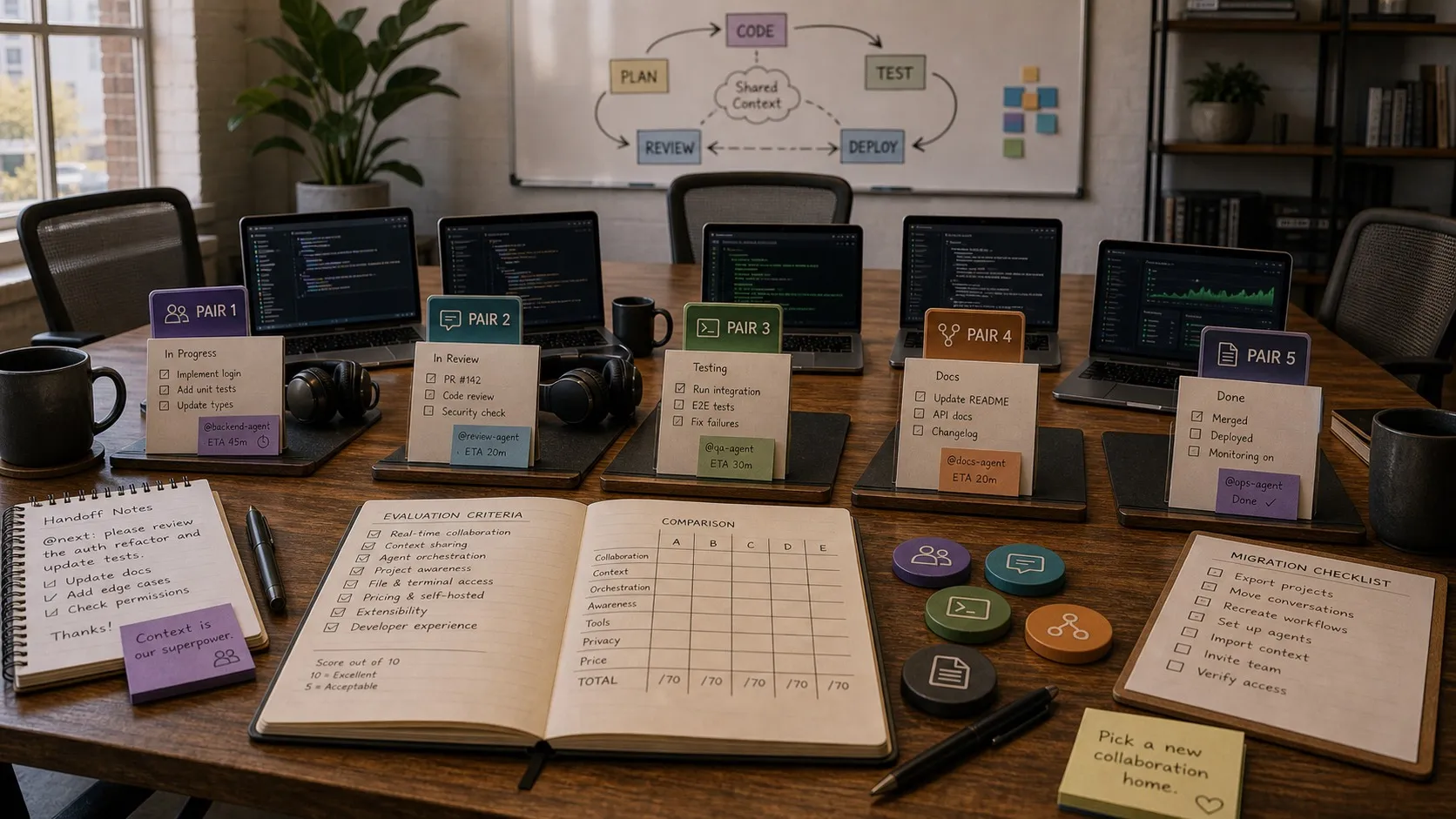
Claude Cowork is Anthropic’s bet that the agent loop they proved with Claude Code translates to documents, research, and the rest of knowledge work. You point Claude at a folder and a goal, walk away, and come back to a draft. For a lot of people that bet is paying off.
The people who use it every day still end up shopping for alternatives, and three reasons come up more than any others when people tell me why they went looking:
- They want Cowork’s interface, running locally. The visual, no-terminal agent loop is the part they like. Being tied to one vendor’s hosted model for every step, with no option to point it at a model they run themselves, is the part they do not. Cowork does run on-device sessions on your own machine, and the section below is precise about where that boundary actually falls.
- They want it to work with Codex too. Cowork is Claude-only by design. A lot of builders already run Claude Code for hard reasoning and Codex for fast tactical edits on the same repository, and a Claude-only surface splits their day in half.
- They want several sessions at once. Cowork works through one task on one folder. Once you are running three or four pieces of work in parallel, you need a board and worktree isolation, not a queue.
This guide is organised around those three, with the platform, price, and connector questions after them. Every platform, licence, and price was checked against the vendor’s own documentation or pricing page in August 2026.
I build Nimbalyst, which appears in this comparison. Where a competitor is the better answer, the write-up says so.
Quick picks for alternatives
- Cowork’s shape, running on your own machine and your own model: OpenWork, or Nimbalyst if the work is building software.
- Cowork’s shape, but running Codex as well as Claude: Nimbalyst, Paseo, or Orca.
- Several agent sessions in parallel with worktree isolation: Nimbalyst, Orca, Paseo, or Superset.
- Microsoft 365 shop: Copilot Cowork.
- Web-first general agent: ChatGPT agent.
- Google Workspace team: Google Workspace Studio.
- Multiple coding agents running in parallel (Claude Code, Codex, others): Nimbalyst.
- Open source, your own model keys, closest to Cowork’s shape: OpenWork (built on OpenCode).
- Steering coding agents from your phone: Paseo, or Nimbalyst’s iOS app.
- IDE-native, or direct access to the actual files instead of a sandboxed canvas: Cursor, Claude Code, or Nimbalyst.
- Prompt-to-prototype with a clean handoff to code: Figma Make, v0, or Nimbalyst.
- Cowork plus coding plus visual artifacts in one workspace: Nimbalyst.
Cowork’s interface, running locally
Worth being precise about what “local” means here, because Cowork is partly local already and the marketing on both sides blurs it.
Anthropic’s docs describe two modes. On-device Cowork sessions run the virtual machine on your computer; remote sessions run it on an Anthropic-managed VM. So the file access and the execution are local in on-device mode. What is never local is the model: every step still calls Claude over the network, and Cowork does not run against a model on your own hardware.
If your requirement is only “the agent touches my files on my disk”, on-device Cowork already satisfies it. If your requirement is “no part of this leaves my machine”, these are the options:
- OpenWork runs OpenCode against whatever provider you configure, including local models through Ollama or a compatible server, on your real files with an execution-plan timeline. MIT licensed, macOS and Linux downloads, Windows through a paid support plan.
- Nimbalyst runs Claude Code and Codex against your provider accounts, and supports local models where the underlying harness does, so how local the model half gets depends on which harness you point it at. Sessions, files, and history live on your machine in ordinary folders under git rather than inside an app database or a sandboxed canvas. MIT licensed for individual-use features, on macOS, Windows, and Linux.
- Goose is the general-purpose option, a local agent that works with 15 or more providers including Ollama. It is not Cowork-shaped and has no session board, but it is fully local and Apache-2.0.
The practical difference from Cowork in all three is the file model. Cowork’s canvas abstracts the files away; these show you the actual markdown, code, and spec files, and let you watch the agent diff them.
Alternatives that also run Codex
Cowork runs Claude. If you want one surface that runs both Claude Code and Codex, four tools do it today:
| Tool | Agents supported | Platforms | Licence |
|---|---|---|---|
| Nimbalyst | Claude Code and Codex side by side, OpenCode supported, Gemini CLI in alpha | macOS, Windows, Linux, iOS | MIT for individual-use features |
| Paseo | Claude Code, Codex, GitHub Copilot, OpenCode, Pi | macOS, Windows, Linux, web, iOS, Android | AGPL-3.0 |
| Orca | Codex, Claude Code, OpenCode, Pi, each in its own worktree | macOS, Windows, Linux, iOS, Android APK | MIT |
| OpenWork | OpenCode, which reaches 75-plus providers on your own keys | macOS, Linux; Windows via a paid support plan | MIT |
Using both agents on one project is a workflow question as much as a tooling one. Our walkthrough of signing both in on the plans you already pay for, giving them one set of project instructions, and routing work between them is orchestrating Claude Code and Codex together.
Alternatives that run several sessions at once
Cowork works through one task on one folder. Running four pieces of work in parallel on the same repository needs two things Cowork does not provide: isolation so the sessions do not overwrite each other, and a view showing which one is waiting on you.
Isolation in practice means a git worktree per session, so each agent gets its own checkout and its own branch and the changes only meet at merge time.
- Nimbalyst puts sessions on a kanban board with optional one-click worktree isolation per session, a files-edited list per session, and inline diff review before you accept anything. The iOS companion app shows which sessions finished or need attention while you are away from the desk.
- Orca runs each agent in its own worktree, with diff annotation that sends your comments back to the agent, and SSH worktrees for running agents on a remote machine.
- Paseo runs a local daemon that owns the agent processes, with desktop, web, mobile, and CLI clients all viewing the same running sessions.
- Superset gives each workspace its own worktree, branch, terminal, and environment, with a diff viewer you can comment in and commit from. Source-available under Elastic License 2.0 rather than OSI open source, and there is no Windows build.
The method itself, independent of tool, is in how to manage and review multiple agent sessions.
What Cowork is
Cowork ships inside the Claude desktop app on Anthropic’s paid plans. Anthropic’s install documentation now lists it on macOS, Windows, and Linux (beta), with the Virtual Machine Platform required on Windows, and hardware virtualisation (KVM), about 25 GB of disk for the workspace image, and 8 GB of RAM on Linux, where computer use and dictation are unavailable. (For a full primer, see what Claude Cowork is and how to use it.) The framing is outcome-first: tell Claude what you want, hand it the source files and connectors, let it run the multi-step assembly. It fits the kind of work analysts, ops people, legal teams, and consultants spend their weeks on, where the answer comes from stitching together many half-structured documents.
If your day looks like that, Cowork is good at it. The reasons people search for alternatives have to do with everything Cowork is not trying to be: cross-platform, model-agnostic, IDE-native, file-first, or one workspace that holds the writing, the design, and the code at the same time. The next two sections walk through which gaps matter for which audience.
Where Claude Design fits in
If your actual job is prompt-to-prototype (slides, one-pagers, marketing collateral, mockups that need to hand off cleanly to working code), Cowork was never the right starting point. Claude Design is.
What Design does: prompt-to-prototype for visual products. It pulls a design system out of your codebase automatically (colors, typography, component patterns), exports to Canva, PDF, PPTX, and HTML, and packages a handoff bundle you can drop into Claude Code with a single prompt to turn the prototype into shipping UI.
So “Cowork alternative” really covers two different jobs: a general-purpose desktop agent for knowledge work, or prompt-to-prototype with a clean handoff to code. Decide which one is yours before reading further, because the alternative lists are not the same.
When Cowork isn’t enough
The gaps split into seven, and any one of them is enough on its own to push you toward something else.
- Platform. Android, iPad, and any web-first workflow. The Linux gap closed this year, but Linux is still a beta build with a virtualisation requirement and no computer use or dictation.
- Price. Cowork is included with paid Claude plans, so it starts at $20 a month on Pro ($17 billed annually), and heavy use pushes you to Max from $100 a month. Bring-your-own-key alternatives let you pay a provider for usage directly, or skip Anthropic entirely.
- A different model. Cowork is Claude-only by design. If you get better results from GPT-5 on certain tasks, want Gemini for long-context retrieval, or run a local open-source model for privacy and cost, you can’t bring those models in.
- Multiple models in parallel. A lot of builders now run Claude Code for hard reasoning, Codex for fast tactical edits, and sometimes a local model for cheap iteration, all on the same project. Cowork assumes one brain.
- An IDE-native workflow. If you already live in Cursor, Claude Code, or VS Code, swinging out to a separate desktop app for the writing and research half of your day is friction you don’t want. You want the agent loop where your code already is.
- Direct file access. Cowork’s canvas abstracts the actual files away. If you want to see and edit the raw markdown, code, or spec files, watch the agent diff them, and stay in source control the whole time, a sandboxed view that hides the files is the wrong shape.
- Stack fragmentation. Cowork plus Claude Code plus Claude Design is three separate surfaces with three separate canvases. If you use all three on one project, switching between them all day is its own form of work.
Match your reasons against the rest of this post. Which alternative makes sense depends on which gap is the deal-breaker for you.
The alternatives
Enterprise knowledge-work alternatives
Copilot Cowork (Microsoft)
Cloud and Microsoft 365 integrated. It reached general availability worldwide in June 2026 after a Frontier preview. If your team already lives in Excel, Outlook, Teams, and SharePoint, it is the most direct enterprise counterweight to Claude Cowork. One detail worth knowing: Copilot Cowork runs on Anthropic’s Claude under the hood, built from the same blueprint as Claude Cowork, so you are getting a Claude agent loop with a Microsoft-shaped wrapper. We cover it in depth in What Is Copilot Cowork?.
Best for: M365-first companies. Locked to the Microsoft stack, so not a general-purpose alternative.
ChatGPT agent
Web-first. Useful if your main requirement is “I want an agent in the browser” rather than a desktop coworker with access to local files. Agent Mode is the UI toggle inside ChatGPT that turns standard chat into an autonomous agent with browsing and tool use.
Best for: users deeply in the OpenAI ecosystem who want a web-first agent for lightweight web tasks.
Google Workspace Studio
Google Workspace Studio is a cloud, plain-language agent builder available through Google Business and Enterprise plans.
Best for: Google-native shops.
Vertical alternatives
Tactiq
Tactiq is a freemium web product and browser extension for real-time meeting transcription, without adding a bot to the call. The scope is meetings only, and within that scope it is strong.
eesel AI
eesel AI is a cloud helpdesk-automation product. The vertical is narrow, support teams only, and it is strong within it.
Cursor
Cursor runs on Mac, Windows, and Linux, and is IDE-native, with sub-agents, codebase indexing, and background agents. It is not a knowledge-worker replacement for Cowork, and it is the right alternative if the only part of Cowork you used was the coding help.
Open-source alternatives
A cluster of open-source projects launched in the weeks after Cowork, most of them wrapping OpenCode in a desktop or mobile shell. They share one tagline almost word for word: an open-source alternative to Claude Cowork. If your blocker is licensing, model lock-in, or simply wanting the source, start here.
OpenWork
macOS and Linux download directly; Windows runs through a paid support plan. OpenWork is the most direct open-source Cowork: point it at a folder, hand it a goal, and it runs OpenCode on your real files with an execution-plan timeline and a skill manager. It brings 50+ models through your own keys and is MIT licensed. With 16k+ stars it is the most visible project in this group. No mobile app, and no visual editors beyond the plan timeline. Built by Different AI.
Best for: developers who want a straight open-source Cowork over OpenCode, with their own model keys.
Paseo
Desktop builds for macOS, Windows, and Linux, plus web, CLI, iOS, and Android clients over a local daemon. Paseo’s angle is mobile: native iOS and Android apps with full parity to the desktop, so you can start and steer agents from a phone. It runs Claude Code, Codex, Copilot, OpenCode, and more in parallel with worktree isolation, ships a fully local voice stack, and keeps code on your machine with no telemetry. Open source and free with your own agent credentials.
Best for: steering parallel coding agents from a phone, with voice and a privacy-first setup.
OpenCowork and the forks
OpenWork’s tagline spawned a small family of near-identical projects (OpenCowork, openwork-v2, open-code-work, and others), all OpenCode wrappers with the same Cowork-alternative framing. They are worth knowing exist, but for evaluation purposes OpenWork is the reference implementation of the pattern.
A note on OpenClaw, since it surfaces in a lot of Cowork comparisons: it is a different category. OpenClaw turns models into persistent assistants that live inside messaging apps like WhatsApp, Slack, and Telegram, not a coding-agent workspace. If you are shopping for a Cowork-style file-and-folder agent, it is not a like-for-like option.
Where Nimbalyst sits in this group: open source like OpenWork and Paseo, MIT licensed for individual-use features, and multi-agent like Paseo, with the visual editors (mockups, diagrams, data models) and the planning-and-kanban layer the OpenCode wrappers do not have. For a side-by-side, see OpenWork vs Paseo vs Nimbalyst.
The builder-shaped alternative (Cowork plus Code plus Design in one workspace)
Nimbalyst
Full disclosure: I build this. Mac, Windows, Linux, plus iOS companion. Nimbalyst is not a pure drop-in replacement for Cowork, because it leans harder on the builder use case: prompt to mockup, diagram, data model, and working code in one workspace. What it does give you that Cowork doesn’t:
If the underlying question is whether you can keep the Claude Code or Codex access you already pay for, the answer is yes: Nimbalyst supplies the workspace while the provider continues to handle authentication, usage, and limits. The Claude Code and Codex subscriptions guide explains the boundary between provider accounts, API keys, local models, and the Nimbalyst workspace.
- Cross-platform, not just Mac and Windows.
- Multi-agent support natively (Claude Code and Codex in parallel, others pluggable).
- Visual editors for the non-code artifacts: markdown, mockups (MockupLM), Excalidraw diagrams, Prisma data models, CSV. All editable inline, all visible to the coding agent via MCP.
- Optional one-click git worktree isolation per session, session kanban, inline diff review.
- Local-first data (your sessions and files live on your machine).
- Open source. Nimbalyst is MIT licensed for individual-use features, and the code lives on GitHub.
The people Nimbalyst fits cleanly are product managers, founders, developers, and builders who want to go from idea, to mockup, to diagram, to data model, to working code in one workspace with the same agent continuing through the whole arc. If you primarily want “do my email and pull financials from Google Drive,” Nimbalyst isn’t the right fit; Copilot Cowork, ChatGPT agent, or Google Workspace Studio probably is. If you’re leaning toward the prototyping-to-code side and bouncing between Cowork, Claude Code, and now Claude Design is painful, Nimbalyst collapses that into one place.
Weakness: we don’t try to replicate Cowork’s broad knowledge-work connector story yet. If your main use case is inbox triage or document-heavy ops work, a more Cowork-shaped tool will fit better.
Four distinctions that decide the shortlist
Grouping these tools by open source versus cloud, which is how the category is usually sorted, answers the platform and price questions and leaves four others open. Each of these narrows the list further than the source model does.
Cowork and Claude Design solve different problems. Design launched on April 17, 2026 and covers prompt-to-prototype with a clean handoff to code. If that is the job, the shortlist is Figma Make, v0, Lovable, Subframe, or a workspace with a mockup editor, and none of the general Cowork alternatives are relevant to it.
One agent or several changes the answer completely. A single Claude-shaped agent working through a folder and a set of parallel sessions with worktree isolation are different products. Cowork is the first. Nimbalyst, Orca, Paseo, and Superset are the second, and if you are running three or more pieces of work at once, the first shape will not stretch to cover it.
The IDE-native and file-first audience has a different answer again. Cursor and Claude Code get filed as coding tools rather than knowledge-work agents, which is fair as a category judgment and unhelpful if you are a builder. An agent loop running on the files in your own repository, with a git history behind it, is the closest thing to Cowork for anyone whose work already lives in a repo.
The open-source projects are not interchangeable. OpenWork, OpenCowork, and the other OpenCode wrappers are largely the same shell over OpenCode. Paseo pulls toward mobile, and Nimbalyst pulls toward visual editors and planning. Which one fits depends on whether your blocker is platform, mobile access, or the non-code artifacts.
How to pick
You need Linux support: Cowork now has a Linux build, in beta, requiring KVM, about 25 GB of disk, and 8 GB of RAM, without computer use or dictation. If that set of caveats is a problem, or the work is coding, planning, visual artifacts, and agent-session management rather than office automation, Nimbalyst runs natively on Linux with no virtualisation requirement.
You need Windows support: Cowork supports Windows, with the Virtual Machine Platform enabled; the Cowork on Windows and Linux guide covers the platform details. Nimbalyst also runs on Windows when the work is builder-shaped rather than pure knowledge work.
You need a web-first option: ChatGPT agent for general tasks, Copilot Cowork for Microsoft 365, or Google Workspace Studio for Google-native teams.
You want open source: Nimbalyst is open source if your work is building software with several coding agents and visual artifacts in one place. For a pure Cowork-style office agent, the mainstream market is still dominated by closed or hosted platforms.
You want a non-Claude model: ChatGPT agent gives you OpenAI’s model stack in the browser. Cursor and other IDE-native tools also let you choose models inside the editor. For builder workflows, Nimbalyst puts Claude Code and Codex side by side instead of forcing one model family.
You want multiple coding agents running in parallel: Nimbalyst runs Claude Code and Codex side by side, with others pluggable.
You want the agent inside your editor (IDE-native): Cursor and Claude Code are the obvious answers. Nimbalyst sits one step over with Monaco and Lexical editors built into the same workspace as the agent.
You want direct access to the actual files (no sandboxed canvas): Cursor, Claude Code, and Nimbalyst all operate on real files in real folders with real git history.
You need to replicate Cowork’s connector library (Gmail, Google Drive, FactSet, DocuSign): Stay close to the platform where that data already lives: Copilot Cowork for Microsoft 365, Google Workspace Studio for Google, or ChatGPT agent for web-first general work.
Your team is Microsoft-first: Copilot Cowork.
Your use case is specifically meetings or support: Tactiq or eesel. Pick the vertical.
Your main use case is coding rather than general knowledge work: Claude Code or Cursor. You don’t need Cowork at all.
You want Claude Design’s prompt-to-prototype capability without being Cowork-locked: The closest alternatives today are Figma Make (if you live in Figma), v0 or Lovable (if you want full app building), Subframe (for design-system-first React output), or Nimbalyst’s MockupLM extension (if you want the mockup to live in the same workspace as the code).
You want all of Cowork plus Code plus Design collapsed into one builder workspace: Nimbalyst is built for exactly this combination, bringing together cross-platform support, heterogeneous agents, file-first storage, visual editors, and local data.
The bigger picture
Claude Cowork and Claude Design are both very good products. What they reveal is that the era of “one tool per layer” is ending. A year ago, knowledge work agents, design tools, and coding agents were three separate categories. Anthropic has now spent six months building their own versions of all three. The rest of the ecosystem is reacting.
The alternative that makes sense for you depends on what’s actually driving your search. Platform and ecosystem are the easy half: Microsoft-first teams have Copilot Cowork, Google-first teams have Workspace Studio, web-first users have ChatGPT agent, and coding-first users have Cursor or Claude Code. The hardest piece is integration: one workspace where the IDE, the files, the visual artifacts (mockups, diagrams, data models), and several coding agents all live together.
Integration is the gap Nimbalyst fills, and why I build it. If Microsoft, Google, browser automation, or pure coding is your blocker, the options above answer it better than we do. If the blocker is integration, three Claude surfaces plus a separate IDE plus a separate design tool all holding pieces of the same project, it is a different category of problem, and the one I have spent the last year on.
Related reading: Best AI Mockup Tools in 2026 and Best MCP Clients in 2026.
FAQ
What is the best Claude Cowork alternative?
It depends which part of Cowork you are replacing. For Microsoft 365 knowledge work, Copilot Cowork. For a web-first general agent, ChatGPT agent. For an open-source Cowork-shaped agent on your own model keys, OpenWork. For steering agents from a phone, Paseo. For Cowork’s shape applied to building software, with Claude Code and Codex running side by side and visual editors for mockups, diagrams, and data models, Nimbalyst.
Is Claude Cowork the same as Claude Code?
No. Claude Code is the coding agent that runs in a terminal, IDE, or desktop surface and edits code in a repository. Cowork applies the same agent loop to documents, research, and file-and-folder knowledge work through a visual interface with no terminal. Claude Design is a third surface, for prompt-to-prototype visual work. All three are Anthropic products with separate interfaces.
Is there a Claude Cowork alternative that runs entirely locally?
Partly, and it depends what you mean. Cowork runs its agent in a virtual machine on your own computer for on-device sessions, so the files and the execution are already local, but every model call still goes to Anthropic. For a loop with no network hop at all you need an agent that will run against a model on your own hardware: OpenWork does this through OpenCode’s provider list, and Goose works with Ollama directly. Nimbalyst keeps sessions, files, and history on your machine in ordinary folders under git, and supports local models where the underlying harness does.
What is the best open source Claude Cowork alternative?
OpenWork is the most direct open-source equivalent: point it at a folder, give it a goal, and it runs OpenCode on your real files with an execution-plan timeline and a skill manager, under MIT with your own model keys. Paseo is the pick if mobile matters, under AGPL-3.0. Nimbalyst is the pick if you want visual editors and a session board around the agent, and is MIT licensed for individual-use features.
Does Claude Cowork run on Linux?
Yes, in beta. Anthropic’s support documentation says Cowork is available for all paid plans using the Claude Desktop app on macOS, Windows, and Linux (beta). The Linux build needs hardware virtualisation (KVM), about 25 GB of free disk for the workspace image, and at least 8 GB of RAM, and computer use and dictation are not available there.
What is the best Claude Cowork alternative for Linux?
Nimbalyst fits if the work is a builder workspace rather than a pure knowledge-work agent: it runs natively on Linux with no virtualisation requirement, and puts Claude Code and Codex sessions on the same board. OpenWork is the pick for a Cowork-shaped open-source agent on Linux. For broad office automation on Linux, a web-first agent is usually the cleaner answer.
Is there a Claude Cowork alternative that works with Codex?
Cowork is Claude-only. Nimbalyst runs Claude Code and Codex side by side in one workspace, with OpenCode supported and Gemini CLI in alpha. Paseo treats Claude Code, Codex, Copilot, and OpenCode as interchangeable providers. Orca runs Codex, Claude Code, OpenCode, and Pi, each in its own worktree. OpenWork runs on OpenCode, which reaches 75-plus providers through your own keys.
Can Claude Cowork run several sessions at once?
Cowork works through one task on one folder. For several parallel sessions on the same repository, the tools built for it are Nimbalyst, Orca, Paseo, and Superset, each giving a session its own git worktree so the changes do not collide. Nimbalyst adds a session board showing which sessions are waiting on you.
Is there a fully local Claude Cowork alternative?
On-device Cowork sessions run the virtual machine on your computer, so the files and execution are local, but the model calls still go to Anthropic. For a loop that runs entirely on your hardware, OpenWork and Goose both work against a local model through Ollama or a compatible server, and Nimbalyst keeps sessions and files on your machine in ordinary folders under git while supporting local models where the underlying harness does.
How much does Claude Cowork cost?
Cowork is included with all paid Claude plans rather than sold separately. Claude Pro is $20 per month ($17 billed annually), Max starts at $100 per month, and Team is $20 per seat per month billed annually.
What is the best Claude Design alternative?
It depends on the job. Figma Make is the closest fit for Figma-native teams. v0 or Lovable make more sense if you want prompt-to-app. Nimbalyst fits when you want the mockup, diagram, and code workflow to stay in one workspace.
Do you need Claude Cowork if your main use case is coding?
Usually no. If the need is coding, worktrees, and reviewing agent output, Claude Code, Cursor, Codex app, or a workspace like Nimbalyst are better fits than Cowork.
Related Reading
- What Is Claude Cowork? A 2026 Guide: the full primer on what Cowork does, pricing, and platforms before you shop for alternatives.
- Claude Cowork on Windows and Linux: platform support, the Windows Hyper-V requirement, and what Linux users can do instead.
- Best AI tools for product managers working with AI coding agents: for non-engineering workflows that still touch the coding stack.
- Best vibe coding tools for Claude Code and Codex users: when the need is coding rather than Cowork-style outcomes.
- Best multi-agent coding tools for Claude Code and Codex users: orchestration alternatives if Cowork is overkill.
- OpenWork vs Paseo vs Nimbalyst: the three open-source projects riding the Cowork wave, compared side by side.
- Open source agent workspaces compared: cmux, Superset, Orca, Paseo, Herdr, T3 Code, Goose, and Warp in detail.
- Orchestrating Claude Code and Codex together: running both agents on the plans you already pay for.
- How to manage and review multiple agent sessions: the parallel-session method, independent of tool.
Karl Wirth is the founder of Nimbalyst, a local-first desktop workspace that collapses multi-agent coding, visual design, diagramming, and data modeling into one place with first-class Claude Code and Codex support.
Related posts
-
Best AI Diagram Tools for Engineers and Claude Code Workflows (2026)
AI diagram tools compared for engineers using Claude Code or Codex via MCP. Excalidraw, Mermaid, Eraser, tldraw, Miro AI, Lucidchart, Napkin, D2, PlantUML.
-
Best AI Mockup Tools for Spec-Driven AI Coding (2026)
AI mockup tools compared for Claude Code and Codex feature planning. v0, Lovable, Bolt.new, Figma Make, Uizard, Visily, Galileo AI, and MockupLM.
-
Best Local-First AI Coding Tools 2026: 14 Compared
14 local-first AI coding tools compared in 2026. Cline, Continue, Aider, Tabby, Goose, Roo Code, Nimbalyst, and more for private, offline, self-hosted coding.