Claude Code and Codex Session Managers: Mac, Windows, Linux
Claude Code and Codex session managers compared in 2026, by platform. Kanban boards, git worktrees, tmux replacements, Windows and WSL options, and running five to seven sessions at once. Verified August 2026.
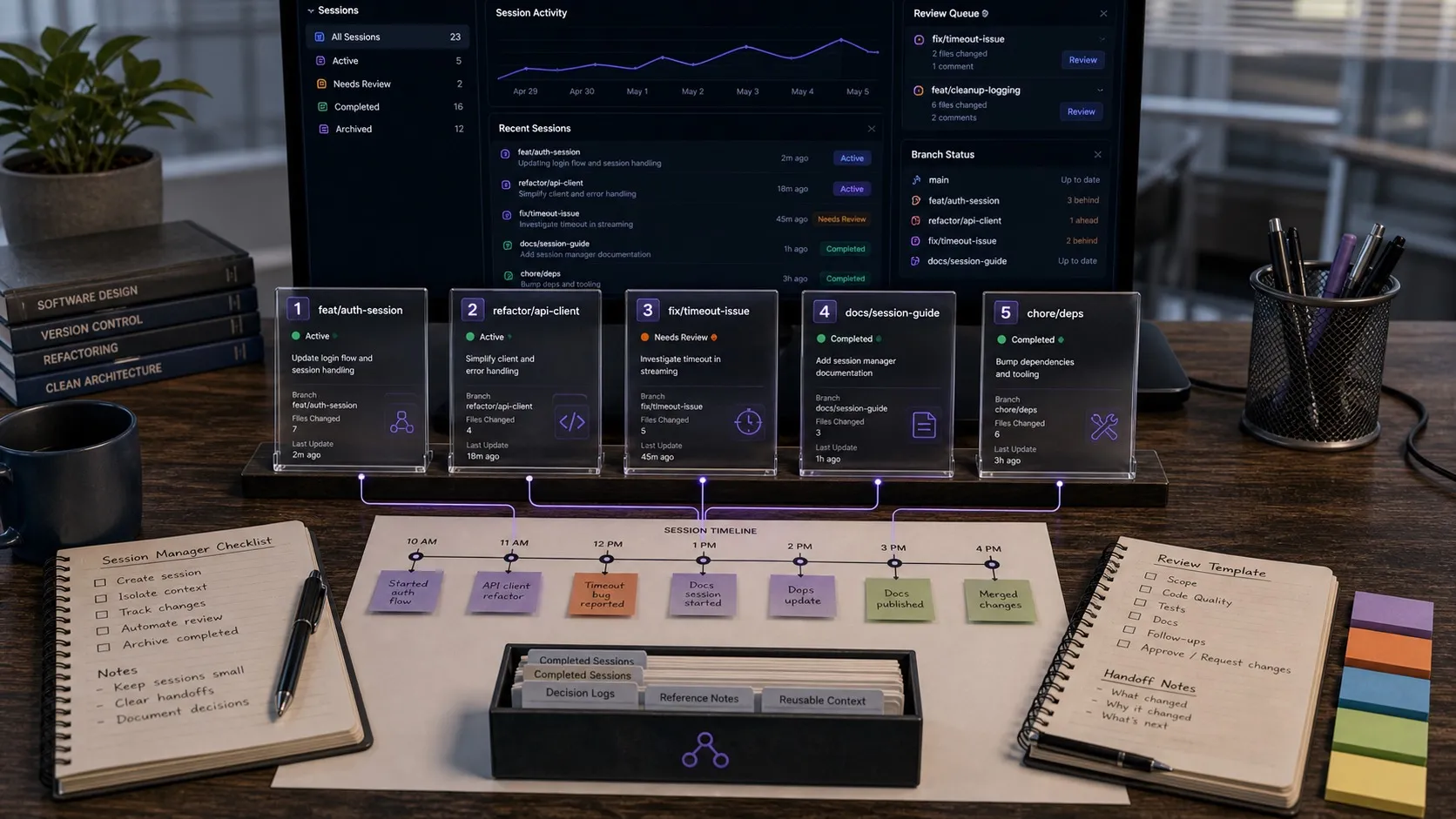
A good Claude Code session manager, or Codex session manager, stops you losing track of your AI agents. Once you are running more than a couple of sessions in parallel, the hard part is knowing what is still running, what needs input, and what changed. The native CLIs give you resume commands and thread persistence. They do not give you a dashboard, a kanban board, or a way to review file changes across sessions without opening each one.
Two questions decide this faster than any feature list: what operating system are you on, and how many sessions do you actually run at once. Several of the best-known tools in this category are macOS only, and several stop being useful past three parallel sessions. There are dedicated sections on both below, plus one on replacing a tmux grid. Platforms and licences were checked against each project’s own repository or docs in August 2026.
Best Claude Code Session Manager (Quick Answer)
Platform decides this more than features do, so start there:
- On macOS: Nimbalyst, Orca, Conductor, or Claude Squad in the terminal.
- On Windows: Nimbalyst, Orca, Paseo, T3 Code, or Herdr. Conductor and Superset have no Windows build, and Claude Squad needs WSL.
- On Linux: Nimbalyst, Orca, Paseo, or Herdr. Conductor has no Linux build.
- Replacing a tmux grid: Herdr for a multiplexer, Nimbalyst or Orca for a GUI board.
- Running five to seven sessions at once: anything with one git worktree per session and a single status view. Nimbalyst, Orca, and Paseo qualify.
The tools worth considering in 2026:
- Best Claude Code session manager overall: Nimbalyst. Kanban board, optional one-click git worktree isolation per session, file-change sidebar tied to each session, and an iOS companion app.
- Best terminal-based Claude Code session manager: Claude Squad. Tmux multiplexing plus git worktrees, all CLI.
- Best Claude Code session manager with checkpoints: Opcode had the strongest timeline and checkpoint workflow. Its repository shows no commits since October 2025, so check its status before adopting it.
- Best cross-platform alternatives to a Mac-only app: Orca (MIT, macOS, Windows, Linux, iOS, Android) and Paseo (AGPL-3.0, desktop plus mobile clients over a local daemon).
- Best tmux replacement: Herdr. A single Apache-2.0 Rust binary that holds your terminals in a background server and marks every pane working, blocked, or idle.
- Native Claude Code session management:
claude -cresumes the last session,claude -rresumes by ID, andclaude --worktreeruns in a worktree. Solid baseline, no dashboard. - Native Codex session management: the Codex app now has built-in worktree support, skills, automations, and git functionality. Stronger than bare thread persistence, but still not the same thing as a cross-tool session manager.
A side-by-side comparison table, full reviews, and an FAQ follow.
Managing multi-agent sessions is a new category of tooling. I went through official docs, repos, and current product pages for each tool here in August 2026 and left out anything I could not verify from a primary source.
What makes a good tool for managing AI agent sessions?
A useful session manager does more than help you reopen a transcript.
It should handle at least most of these well:
Visibility. Can you see active, paused, and completed sessions without resuming each one?
Organization. Can you group sessions by project, task, or stage instead of living in a flat history list?
Status detection. Can you tell which sessions are waiting on you versus still working?
Isolation. Can you run multiple sessions in separate branches or worktrees so they do not stomp on the same working tree?
Traceability. Can you tell what changed, or at least which branch, files, or diff belong to a given session?
Native CLIs solve resume. A session manager has to solve the other four.
Native Session Management: Claude Code and Codex
Claude Code Native
Claude Code does have genuine session continuation features. Anthropic documents claude -c to continue the most recent conversation in the current directory and claude -r "<session>" to resume by session ID or name.
It also has more worktree support than many people realize. Anthropic’s CLI reference documents claude --worktree / claude -w, and Claude Code’s bundled /batch skill can spawn parallel work in isolated git worktrees.
Even so, native Claude Code is not a session manager in the broader sense. There is no central board, no built-in cross-project workflow view, no native tagging system, and no file-level review UI for “show me exactly what this session changed.” It is a strong CLI baseline, not an orchestration layer.
Best for: Developers who want the official CLI only and mostly work one session at a time.
Codex Native
Codex has moved beyond bare thread persistence. OpenAI’s current help docs describe a Codex app for macOS and Windows with built-in worktree support, skills, automations, and git functionality, specifically for running multiple agents in parallel across projects.
All of which is more capable than a simple resume command. What it still does not give you is a cross-tool kanban workflow, the same degree of file-linked traceability Nimbalyst builds around, or a Linux build.
Best for: Codex users who want an official OpenAI app with parallel agents, worktrees, and automations, and who are happy to stay inside the Codex ecosystem.
Third-Party Session Managers Worth Knowing
Claude Squad
Claude Squad is a terminal app for managing multiple Claude Code, Codex, Gemini, and other local agent sessions. Its model is explicit: tmux for multiplexing, git worktrees for isolation, and a single terminal UI for reviewing and navigating sessions.
The result is one of the strongest options for terminal-first developers who want genuine parallelism without a GUI. It creates isolated workspaces, lets you pause and resume sessions, and gives you a structured way to review and apply work. The tradeoffs are the tmux and GitHub CLI dependencies, and no native Windows build.
Best for: CLI-heavy developers who want multi-agent parallel work with real worktree isolation.
Opcode
Opcode is a desktop GUI app and toolkit for Claude Code. It focuses on visual project browsing, session history and resume, custom agents, MCP server management, usage analytics, and especially timeline/checkpoint workflows. If you want to branch, restore, diff, and inspect a single session deeply, Opcode is compelling.
It was built as a desktop command center for one Claude Code session at a time rather than a workflow board across many simultaneous tasks. Its repository shows no commits since October 2025, and Claude Code’s internals have moved a long way in that time, so verify it still works before relying on it.
One concern: the project’s last commit was October 2025. With how fast Claude Code’s internals are changing, a tool that hasn’t been updated in six months may have compatibility gaps. Worth checking before committing to it.
Best for: Developers who want a desktop GUI, session timelines, and checkpoints more than a kanban board.
Nimbalyst
Nimbalyst is the most workflow-oriented of the tools here. It has a session kanban board, git worktree integration, session metadata with explicit phases, and a files-edited sidebar tied to AI workstreams, so it does more than tell you a session exists. You get a place to organize the work, isolate it in its own worktree, and inspect the files the agent changed.
It also has an iOS companion with a session list, session detail view, and notification flow for sessions that complete or need attention, which is useful for keeping tabs on long-running work away from your desktop.
One important nuance: worktree isolation reduces sessions stepping on each other in the same working tree, but it does not magically eliminate future merge conflicts if two branches change the same code. No tool can promise that.
Best for: People who need to organize, isolate, inspect, review, and monitor several sessions at once, rather than resume one at a time.
Claude Code Session Managers on Linux
Linux is where this list thins out fastest, because several of the best-known tools in the category are macOS only. Conductor has no Linux build at all. Superset does publish a Linux AppImage alongside its macOS disk images, so Linux users are covered there; its gap is Windows.
Four options ship real Linux builds:
- Nimbalyst. Desktop app on Linux with the session board, optional one-click git worktree isolation per session, per-session files-edited list, and inline diff review. Claude Code and Codex side by side. MIT licensed for individual-use features.
- Orca. MIT-licensed desktop builds for Linux, running Codex, Claude Code, OpenCode, and Pi each in its own worktree, with diff annotation that sends your comments back to the agent and SSH worktrees for agents on a remote box.
- Paseo. A local daemon owning the agent processes with desktop, web, CLI, and mobile clients. AGPL-3.0.
- Herdr. A single Apache-2.0 Rust binary that runs inside whatever terminal you already use, installable by shell script, Homebrew, or mise.
Claude Squad works on Linux and needs tmux and the GitHub CLI installed. It is the strongest terminal-native option if you already run tmux.
The one thing to check before installing anything: the Codex desktop app has no Linux build, so on Linux the Codex half of a mixed setup is the CLI plus whichever GUI you choose. Our Codex GUI guide covers the Linux options for that specifically.
Claude Code Session Managers on Windows and WSL
Windows has more native options than Linux, and one extra decision nobody explains: where the repository lives.
Native Windows builds exist for Nimbalyst, Orca, Paseo, T3 Code (via winget), and Herdr (via PowerShell). The official Codex desktop app also has a Windows build. Claude Squad depends on tmux, so on Windows it runs inside WSL rather than natively. Conductor and Superset have no Windows builds.
If you run Claude Code inside WSL and want a Windows GUI to review the diffs, there are two arrangements and they perform differently:
- Repository on the Windows filesystem. Keep the repo at something like
C:\dev\project, and your WSL shell reaches it at/mnt/c/dev/project. A native Windows app opens the same folder directly, at native speed. This is the arrangement to prefer when a Windows GUI is doing the reviewing. - Repository inside the WSL filesystem. Windows reaches it at the UNC path
\\wsl.localhost\<Distro>\home\<user>\project. It works, and Windows applications reading Linux files that way go through a cross-filesystem translation layer, so it is noticeably slower than a native path. Fine for browsing, poor for a tool doing heavy file watching.
Nimbalyst on Windows also detects WSL as a terminal profile and translates Windows paths to WSL paths automatically, so the built-in terminal opens in the right directory on the Linux side without you converting the path by hand.
A tmux Replacement for Agent Sessions
A lot of people arrive at this category from a tmux grid that stopped scaling. Panes do not tell you which agent is blocked, the notification says an agent needs input without saying which one, and a dropped SSH connection takes the lot with it.
Two shapes of answer:
Keep the multiplexer, get a better one. Herdr is a single Rust binary running as a background server that holds the terminals, so agents keep running when you close the lid or drop the network, and you reattach from any terminal or over SSH. Surviving a full reboot is a different guarantee and depends on how you have the server set up. Every pane is marked working, blocked, or idle, so the stuck agent announces itself instead of you hunting for it. Agents can drive it through its CLI and socket API. Apache-2.0, on macOS, Windows, and Linux. On macOS specifically, cmux does the same job as a native terminal with a sidebar showing branch, PR status, and ports per workspace, under GPL-3.0-or-later.
Drop the multiplexer entirely. The reason tmux is in the picture is usually isolation and layout, and a session manager solves both differently: one git worktree per session instead of one pane per session, and a board instead of a grid. Nimbalyst and Orca both work this way. You lose the terminal-native muscle memory and gain per-session diff review, a status view that survives restarts, and file-to-session traceability.
Claude Squad sits between the two. It uses tmux for multiplexing and git worktrees for isolation, so it is the upgrade path if you want to keep tmux rather than replace it.
Running Five to Seven Sessions at Once
Past about three parallel sessions, the questions change. They stop being about the agents and become about knowing which one is waiting on you, which branch belongs to which task, and what each one touched.
Three things have to be true for five to seven sessions to work:
One git worktree per session. Without it, two agents editing the same working tree overwrite each other’s changes, and you find out at the worst moment. Nimbalyst offers one-click worktree isolation per session, Orca gives each agent its own worktree by default, Superset gives each workspace its own worktree, branch, terminal, and environment, and Claude Squad creates them from the terminal. Claude Code’s own --worktree flag and bundled /batch skill cover the CLI-only version of this.
One view of status across all of them. Seven terminal tabs cannot tell you at a glance which three are blocked on a permission prompt. A board, a pane-status marker, or a notification that names the session are all valid answers; no answer at all is where people give up and drop back to two sessions.
A per-session record of what changed. After five sessions run for an hour, git status on seven branches is not a review. You want the list of files this session touched, and the diff for each one, before you decide anything. This is the piece the terminal-first tools generally leave to you.
Worth being clear about the ceiling: it is your machine and your plan limits, not the tool. Seven concurrent Claude Code sessions consume plan usage seven times as fast, and seven Node processes plus seven worktrees of a large repository is real memory and disk. The method for working at this scale, independent of which tool you pick, is in how to manage and review multiple agent sessions.
Comparison Table
| Tool | Platforms | Claude Code | Codex | Interface | Worktree support | Kanban workflow | File-level traceability | Licence | Important caveat |
|---|---|---|---|---|---|---|---|---|---|
| Claude Code native | macOS, Windows, Linux | Yes | No | CLI | Yes | No | No dedicated file dashboard | CLI open, desktop apps no | Good baseline, not a session manager |
| Codex native | macOS, Windows (app); Linux via CLI | No | Yes | CLI plus desktop app | Yes | No | Git-oriented, not a session board | CLI Apache 2.0, app no | No Linux desktop build |
| Claude Squad | macOS, Linux; Windows via WSL | Yes | Yes | Terminal TUI | Yes | No | Diff and review workflow, not a file-linked board | AGPL-3.0 | Requires tmux and the GitHub CLI |
| Herdr | macOS, Windows, Linux | Yes | Yes | Terminal, background server | Via your own git workflow | No | Pane status only | Apache-2.0 | Owns terminals and nothing else |
| Orca | macOS, Windows, Linux, iOS, Android | Yes | Yes | Desktop app plus mobile | Yes, one per agent | No, list and worktree view | Diff annotation back to the agent | MIT | Large surface, ships daily |
| Paseo | macOS, Windows, Linux, web, iOS, Android | Yes | Yes | Local daemon plus clients | Yes | No | Per-session, via worktrees | AGPL-3.0 | One more daemon to keep running |
| Opcode | macOS, Windows, Linux | Yes | No public Codex support | Desktop GUI | Not a headline feature | No | Timeline, checkpoints, and diffs | MIT | No commits since October 2025 |
| Nimbalyst | macOS, Windows, Linux, iOS | Yes | Yes | Desktop app plus iOS companion | Yes, optional one click per session | Yes | Yes, per-session file list plus diffs | MIT for individual-use features | The most opinionated system in the list |
What I Would Actually Recommend
If you mostly work one session at a time: native Claude Code or Codex is fine. claude -c and the official Codex surfaces already cover a lot before you need a third-party manager.
If you run parallel sessions and live in the terminal: Claude Squad, which gives you worktree isolation, multi-agent multiplexing, and a review workflow without leaving the CLI. Herdr if you want the same without a tmux dependency, and on Windows or Linux.
If you want the full workflow, organize, isolate, review, and monitor: Nimbalyst. It combines a session kanban board, optional git worktree isolation per session, a file-change sidebar tied to each session, and an iOS app for checking sessions away from your desk. Orca is the closest alternative and covers more platforms on mobile; it also moves faster, which cuts both ways.
Pick by what is breaking down
A better starting question than “which session manager should I use?” is “what breaks first when I run multiple agents?”
If you lose track of which sessions exist, Claude Squad or Herdr will fix it, and both keep you in the terminal.
If you lose track of what the sessions did, which files changed, which branch belongs to which task, whether a session drifted from the spec, that is a harder problem. It needs traceability from the session back to the code rather than a list of transcripts. Nimbalyst and Orca both treat that as the core problem rather than an afterthought.
If the thing breaking is that your tool does not run on your operating system, the Linux and Windows sections above are the whole answer.
Start with what is actually slowing you down. If resume is the bottleneck, the native CLIs are enough. If organization and traceability are the bottleneck, you probably want something closer to Nimbalyst.
Frequently Asked Questions
What is a Claude Code session manager?
A Claude Code session manager is a tool for organizing, isolating, and reviewing multiple Claude Code sessions across projects. It does more than resume a transcript, handling visibility (what is running and what needs input), organization (grouping by project or task), isolation (git worktrees so sessions do not overwrite each other), and traceability (which files each session changed). Native Claude Code handles resume. Nimbalyst, Claude Squad, Orca, Paseo, and Herdr handle the rest.
Does Claude Code have a built-in session manager?
Claude Code has session continuation but not a full session manager. The CLI supports claude -c to resume the most recent conversation, claude -r "<session>" to resume by session ID or name, and claude --worktree (or -w) for worktree-aware sessions. Claude Code’s bundled /batch skill can spawn parallel work in isolated git worktrees. There is no native dashboard, kanban board, or cross-project file diff view.
Does Codex have a session manager?
Codex now has an official app with built-in worktree support, skills, automations, and git functionality, so it is more than just thread persistence. What it still does not market as its core UX is a cross-tool kanban workflow or a file-linked session board. For that, third-party session managers like Nimbalyst or Claude Squad still fill the gap.
What is the best Claude Code session manager for parallel work?
For parallel Claude Code sessions, the two strongest options are Claude Squad (terminal-first, tmux plus git worktrees) and Nimbalyst (desktop app with kanban, optional one-click worktrees per session, and file-change traceability). Claude Squad is the right pick if you live in the CLI. Nimbalyst is the right pick if you want a visual workflow and an iOS companion app for monitoring sessions away from your desk.
Can I run Claude Code and Codex sessions in the same session manager?
Yes. Four of the third-party tools in this guide handle both: Claude Squad, Nimbalyst, Orca, and Paseo. Claude Squad supports Claude Code, Codex, Gemini, and other local agents. Nimbalyst runs Claude Code and Codex sessions side by side in the same workspace, with one kanban board, optional per-session worktrees, and a files-edited sidebar, plus OpenCode support and Gemini CLI in alpha. Orca and Paseo both treat the agents as interchangeable providers. Native Claude Code and native Codex are the agent-specific ones.
Is there a kanban board for Claude Code sessions?
Yes. Nimbalyst is the only Claude Code session manager in this guide with a built-in kanban board. Sessions move through phases (backlog, planning, implementing, validating, complete) with tags, priority, and per-session metadata. You see your full agent workstream on one screen instead of clicking through transcripts. For more on kanban-style AI agent workflows, see our guide to organizing Claude Code sessions on a kanban board.
What is the best Claude session manager for solo developers?
For one session at a time, native Claude Code is enough: claude -c resumes the last conversation and claude --worktree handles isolation. The moment you start a second session in parallel, the bottleneck moves from chatting with one agent to keeping track of all of them, and Nimbalyst or Claude Squad become the better picks. Nimbalyst if you want a visual board, Claude Squad if you want to stay in the terminal. Opcode used to be the light desktop answer here, but its repository shows no commits since October 2025.
What is the best Claude Code session manager for Linux?
Nimbalyst, Orca, Paseo, and Herdr all ship Linux builds. Nimbalyst is the pick for a visual board with worktree isolation, per-session file lists, and diff review. Herdr is the pick if you want a single Rust binary inside your existing terminal, with panes surviving SSH drops. Claude Squad works on Linux and needs tmux and the GitHub CLI. Conductor has no Linux build at all.
What is the best Claude Code session manager for Windows?
Nimbalyst, Orca, Paseo, T3 Code, and Herdr have native Windows builds, and the official Codex desktop app also ships for Windows. Nimbalyst detects WSL as a terminal profile and translates Windows paths to WSL paths automatically. Claude Squad depends on tmux, so on Windows it runs under WSL rather than natively. Conductor and Superset have no Windows builds.
Can I run Claude Code sessions in WSL and manage them from Windows?
Yes. If the repository lives on the Windows filesystem, a native Windows app opens the same folder your WSL shell sees through /mnt/c. If the repository lives inside the WSL filesystem, Windows reaches it at \\wsl.localhost\<Distro>\home\<user>, which goes through a cross-filesystem translation layer and is slower than a native Windows path. Keeping the repo on the Windows side is the faster arrangement when a Windows GUI does the reviewing.
What is a good tmux replacement for AI agent sessions?
Herdr is the closest direct replacement: a single Apache-2.0 Rust binary running as a background server that holds your terminals, so agents keep running when you close the lid or drop the network, and you reattach from any terminal or over SSH. Surviving a full reboot depends on how the server is set up. Every pane is marked working, blocked, or idle. It runs on macOS, Windows, and Linux. If you would rather drop the multiplexer entirely, Nimbalyst and Orca replace the tmux grid with a session board and one git worktree per session.
How many Claude Code sessions can you run at once?
The ceiling is your machine and your plan limits rather than the tooling. Five to seven is the range people ask about most often when they search for this, and past about three the bottleneck stops being the agent and becomes knowing which session is waiting on you. At that scale you need one git worktree per session so the changes do not collide, a single view of status across all of them, and a per-session list of changed files. Seven concurrent sessions also consume plan usage seven times as fast.
Claude session manager vs Claude Code session manager: what is the difference?
“Claude session manager” and “Claude Code session manager” are used interchangeably in 2026. Both refer to tools that organize multiple Claude Code sessions: starting, resuming, monitoring, and reviewing the work each session produces. The phrase “Claude session manager” sometimes also refers to managing Claude.ai chat threads, which is a separate problem. The session managers in this guide are all built around the Claude Code coding agent specifically.
Related Reading
- What is a Claude Code workspace?. The definitional reference for the workspace category around Claude Code.
- Is there a Claude Code IDE?. What Anthropic ships and how IDEs differ from workspaces.
- Codex for teams: how to manage AI coding sessions across a product team.
- Vibe Kanban after Bloop: what happens to users, and where to go.
- Best git worktree tools for AI coding in 2026.
- Best multi-agent desktop apps for Claude Code and Codex.
- Best multi-agent coding tools for Claude Code and Codex users.
- Best tools for running parallel AI coding agents.
- Best Claude Code GUI in 2026.
- How to manage and review multiple agent sessions. The method behind the five-to-seven-session section, independent of tool.
- Open source agent workspaces compared. Herdr, cmux, Orca, Paseo, Superset, T3 Code, Goose, and Warp in detail.
- Best Conductor alternatives for Windows and Linux. If you landed here because Conductor is macOS only.
- Orchestrating Claude Code and Codex together. Running both agents from one set of project instructions.
Related pages
Related posts
-
Best Conductor Alternatives 2026: Windows, Linux, and Open Source
Conductor is macOS only. The best Conductor alternatives in 2026 compared on platform support, agent coverage, licensing, and worktree isolation.
-
Best AI Agent Orchestration Platforms 2026: Coding vs Workflow
AI agent orchestration means two different products. Compare control planes for your own coding agents (Nimbalyst, Orca, Emdash, Superset, Conductor, Warp) against workflow frameworks like LangGraph and CrewAI.
-
How to Manage and Review Multiple Agent Sessions
A working method for running several Claude Code and Codex sessions at once: seeing which ones are waiting on you, reading what each agent did and which commands it ran, and reviewing the diff before you accept it.