Comparison
Nimbalyst vs Warp
Warp is a polished AI-augmented terminal with both built-in agents and support for third-party CLI agents. Nimbalyst is the open-source visual workspace for building with Codex, Claude Code, and more. They serve different layers. Warp accelerates your shell. Nimbalyst orchestrates your agents.
Free for individuals. Works with your existing Claude Code or Codex subscription or API key.
Overview
Two tools, different approaches
Nimbalyst
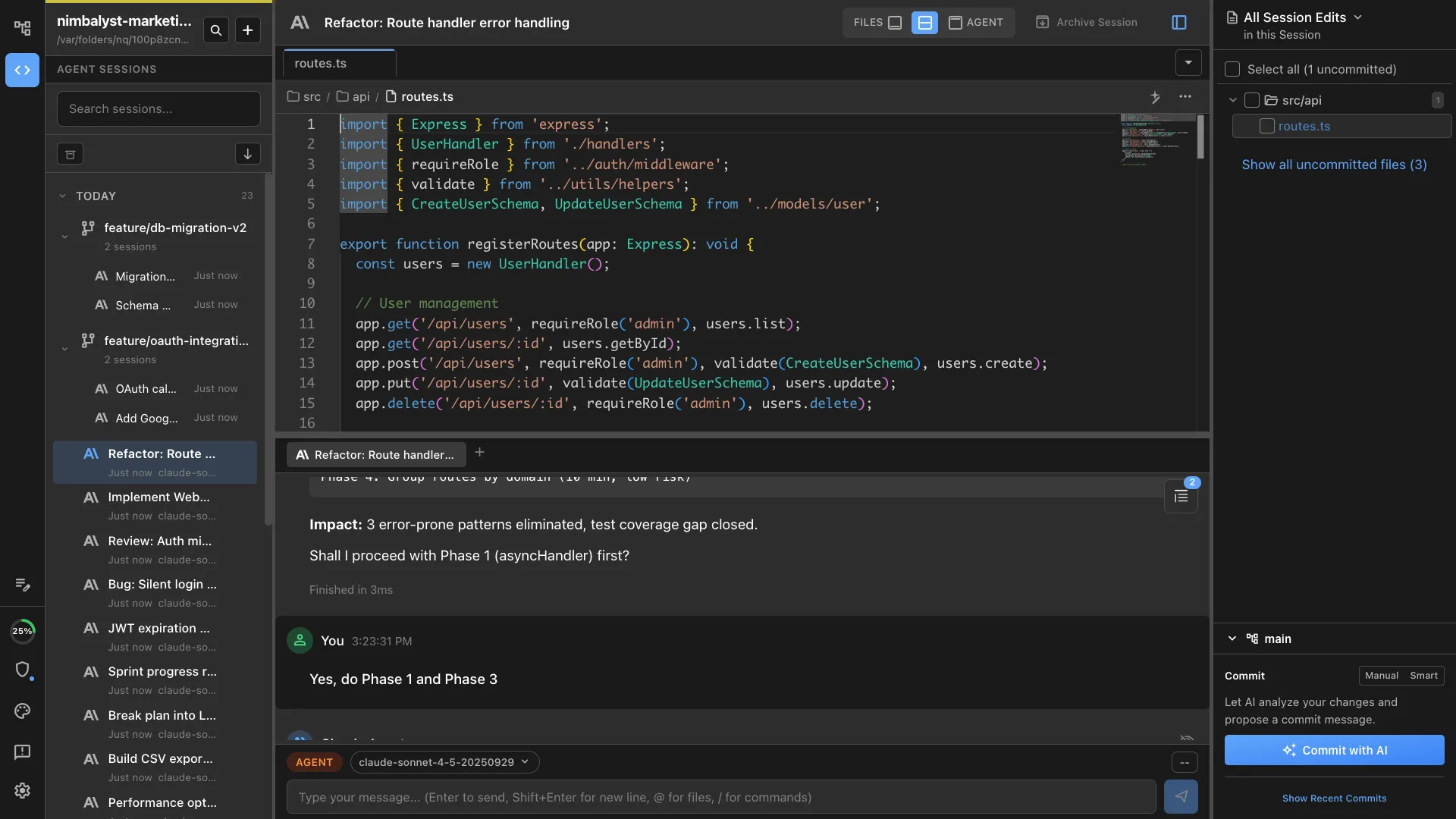
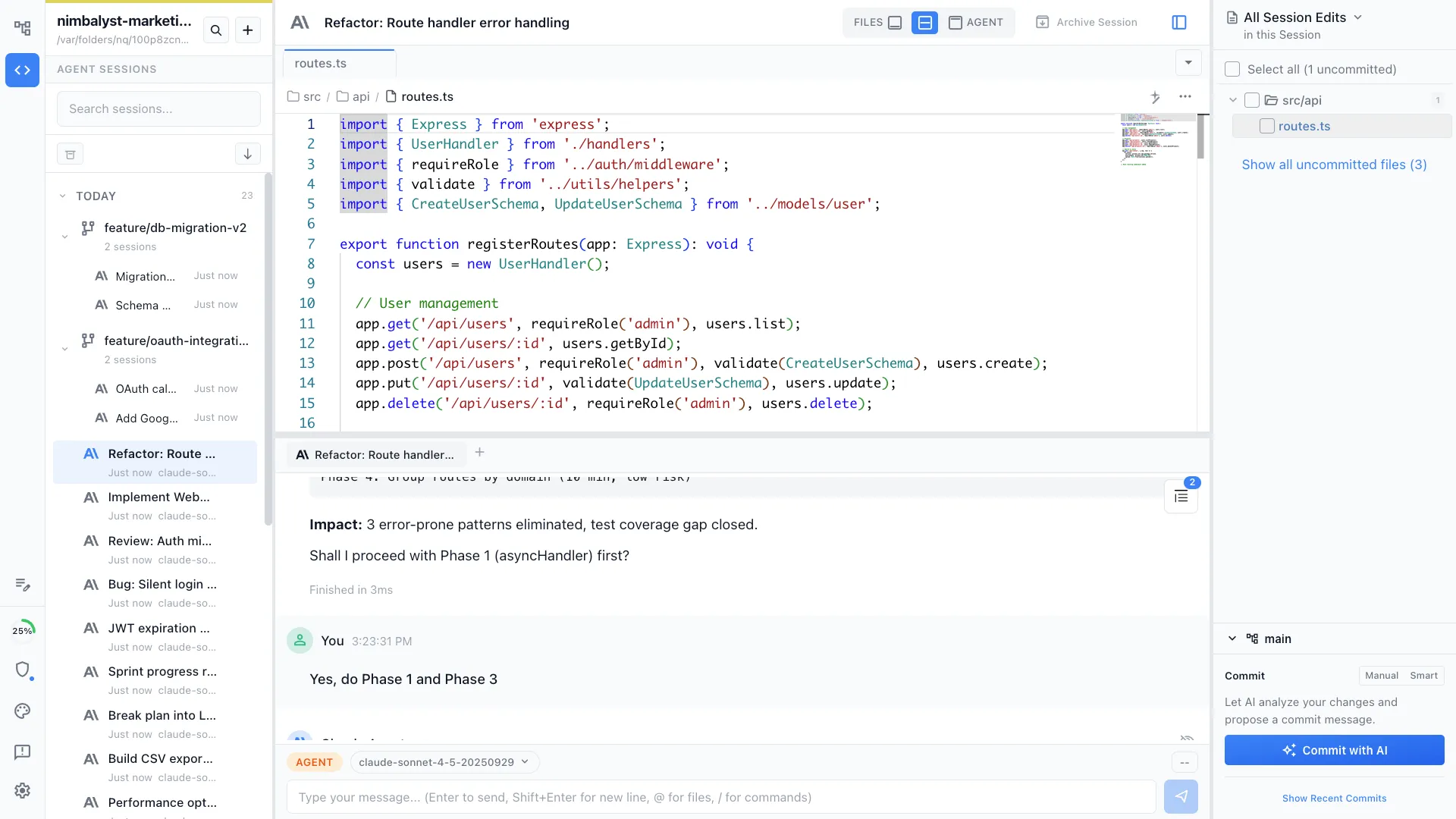
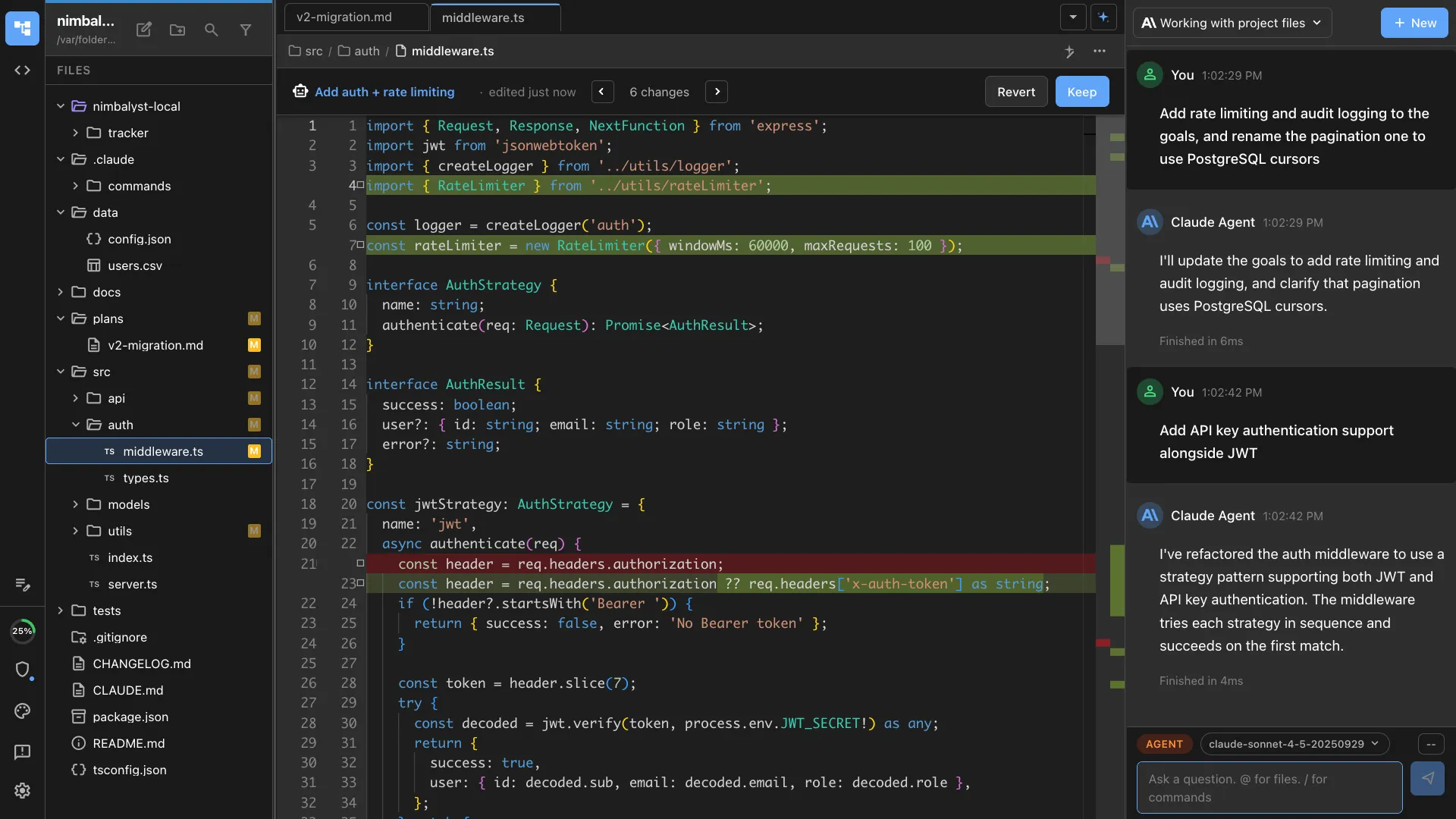
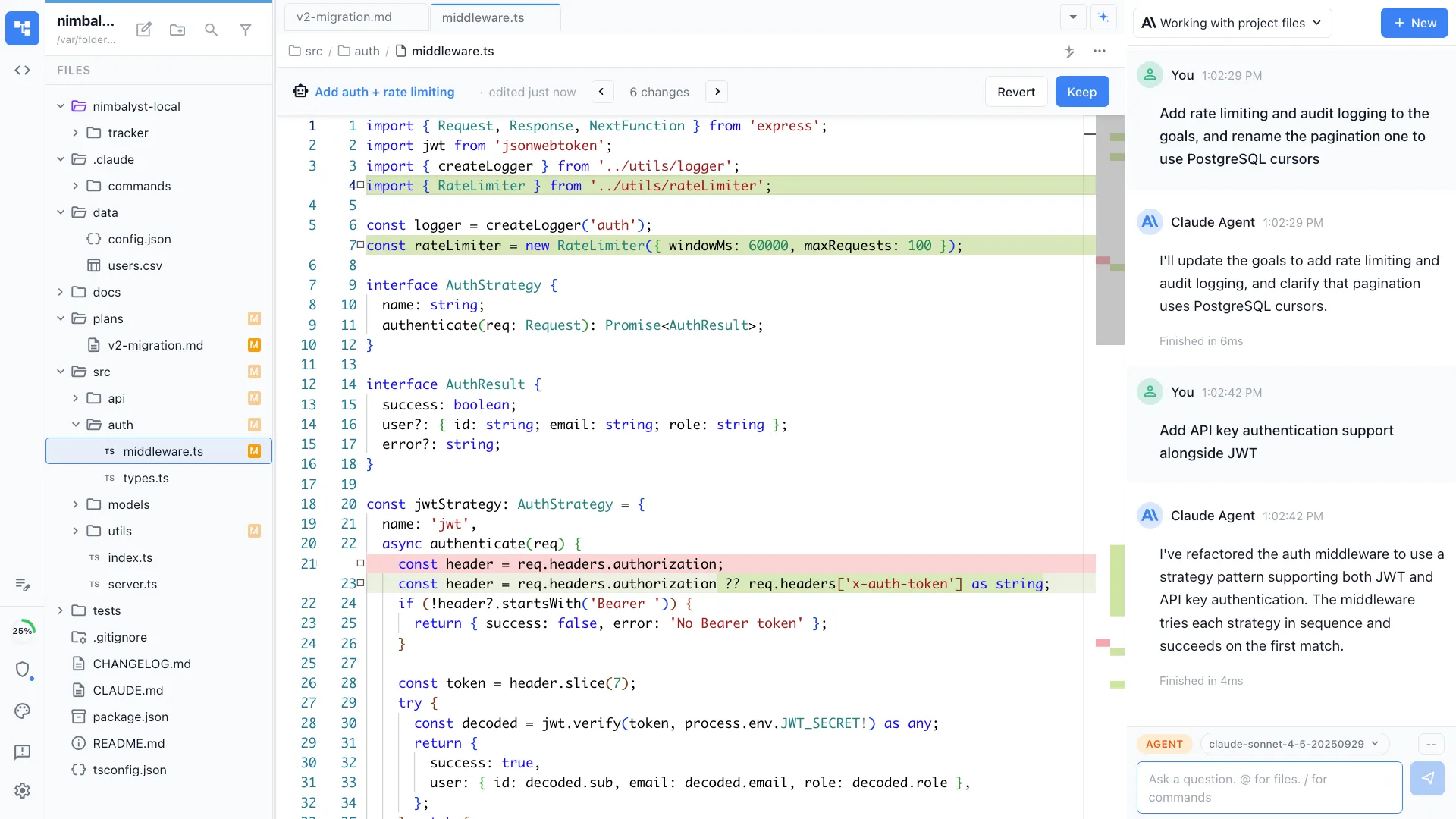
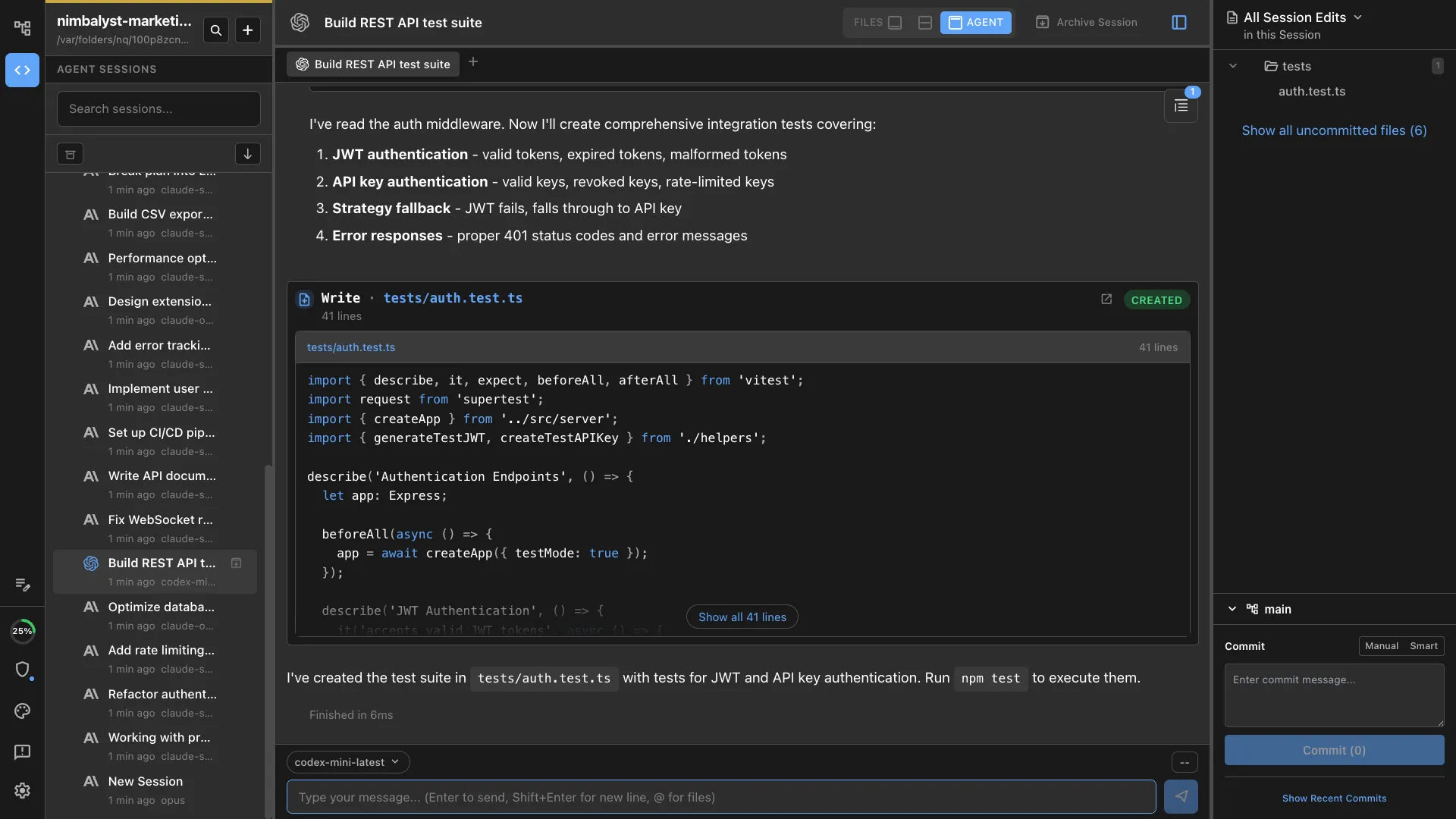
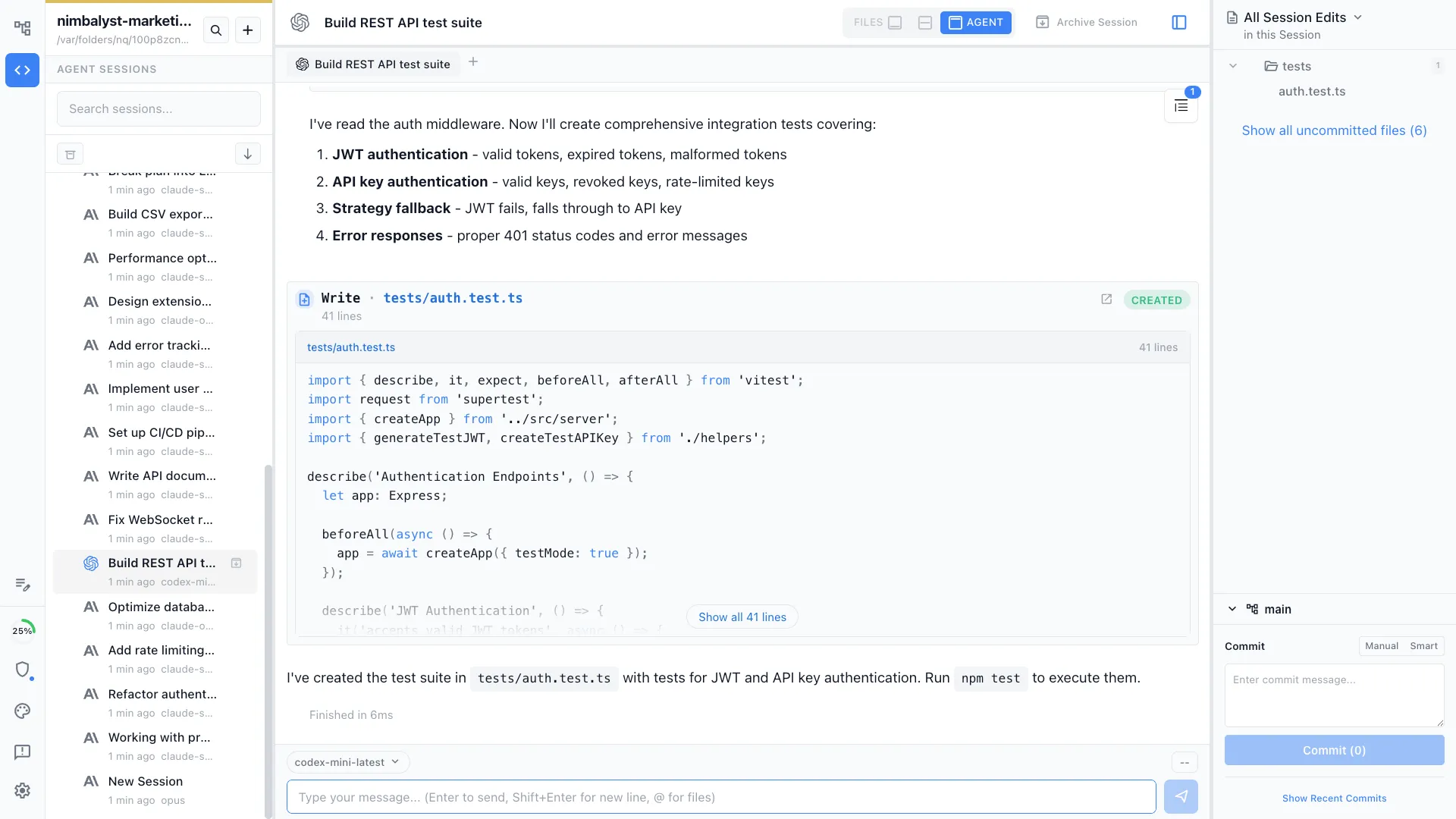
Nimbalyst is an AI-native workspace built on top of Claude Code and Codex. It runs full Claude Code and Codex sessions with kanban-style management, optional one-click git worktree isolation per session, and visual editors for markdown, mockups, diagrams, code, and data models. It is not a terminal replacement.
Warp
Warp is a modern terminal with AI-native features. It includes built-in Oz agents, third-party CLI agent support, and natural-language shell workflows. Warp focuses on the shell, not the broader development workflow.
Feature Comparison
Side-by-side breakdown
Nimbalyst Advantages
Where Nimbalyst shines
Agent kanban beyond the terminal
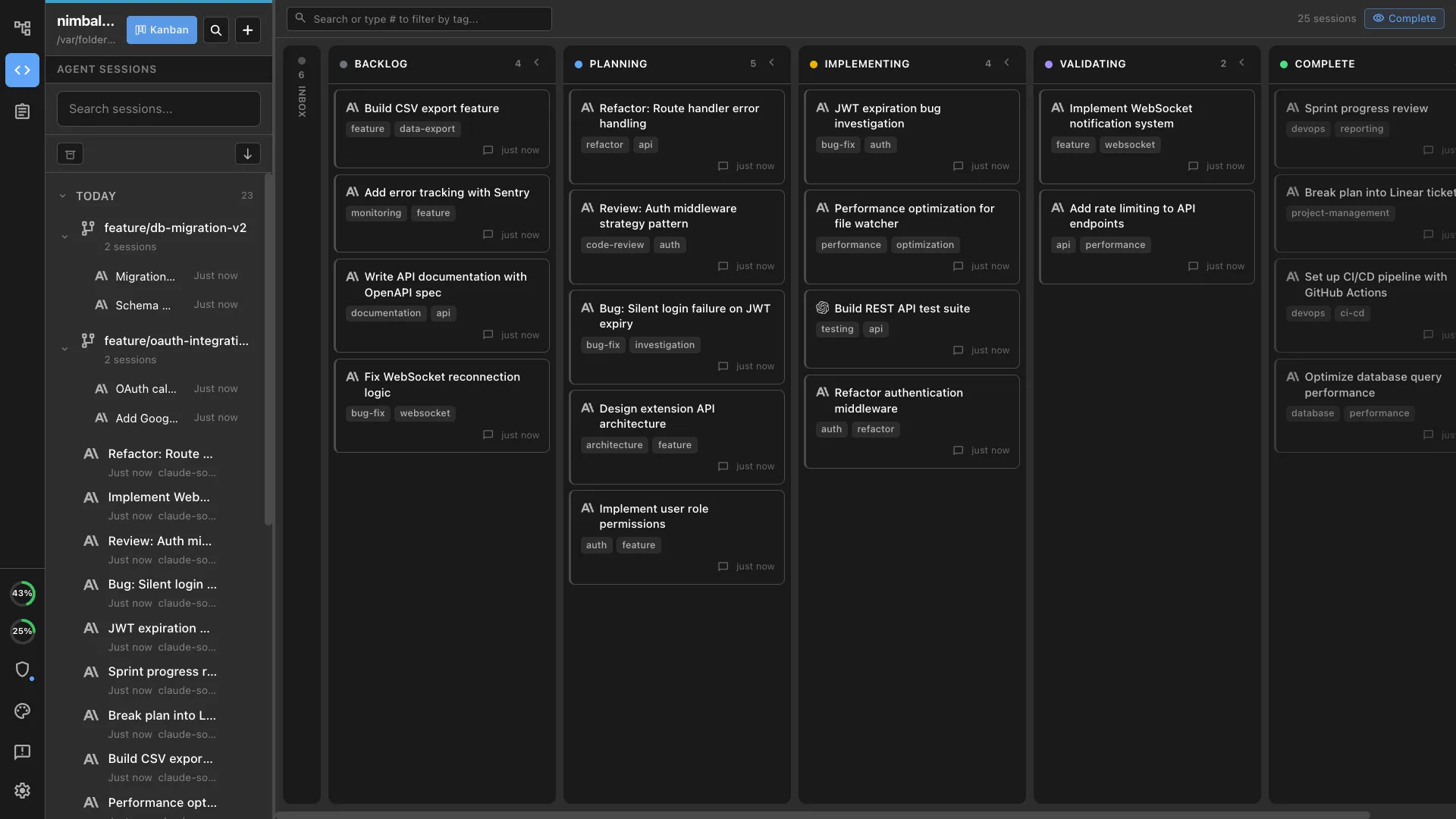
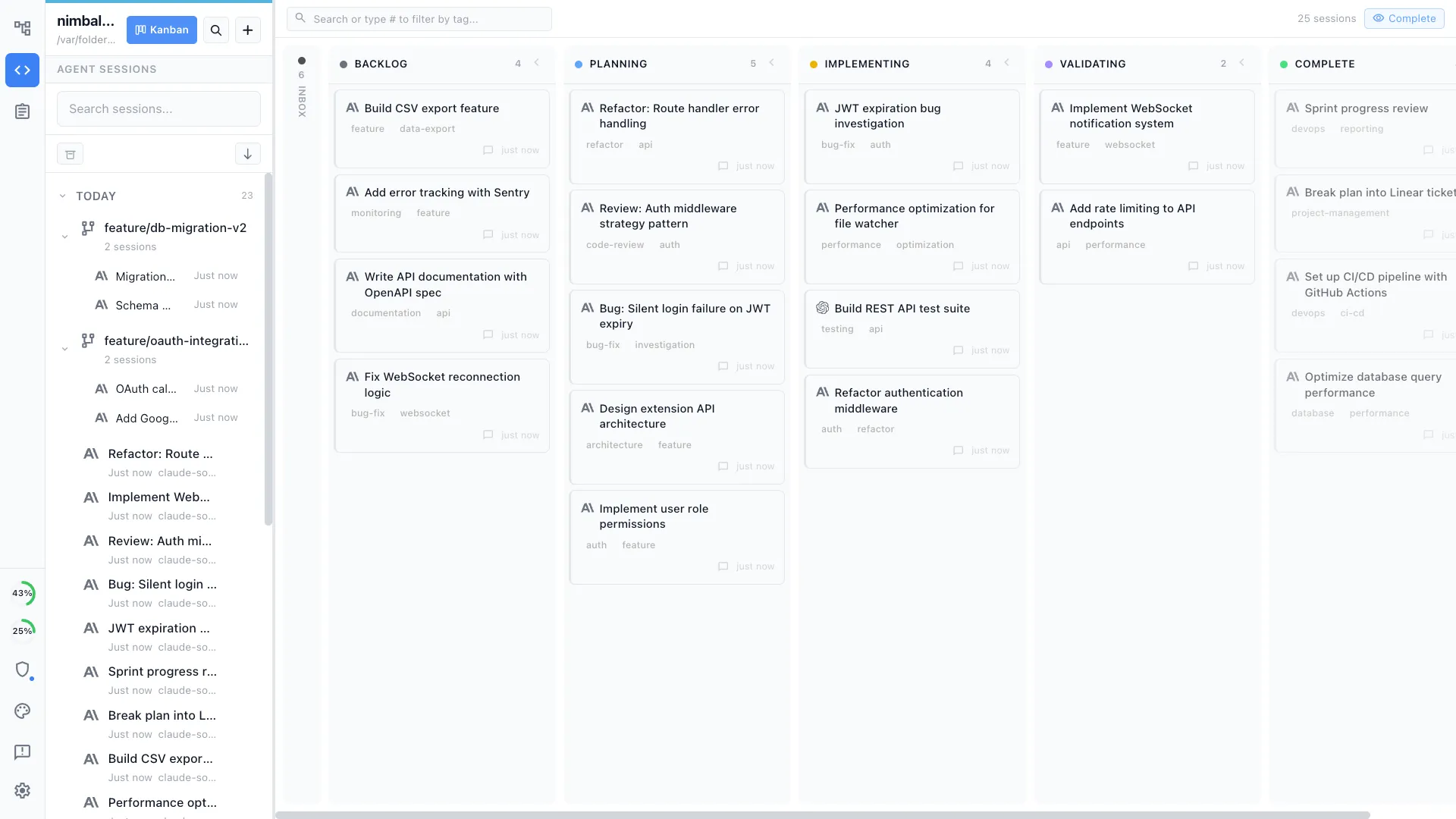
See all your Claude Code and Codex sessions on one board with status, tags, and worktree isolation. Warp gives you better tabs and panes for the shell, not a parallel agent dashboard.
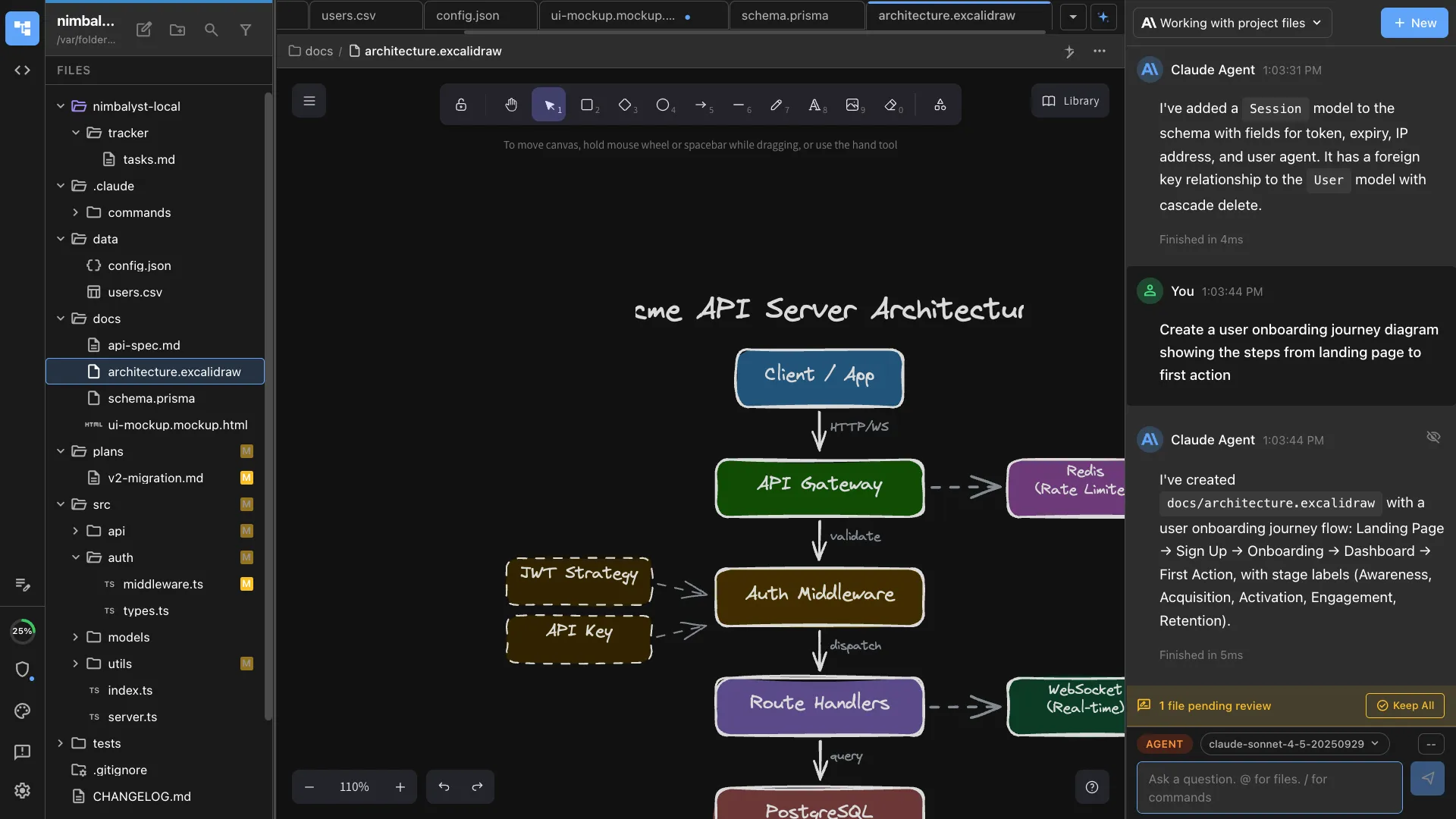
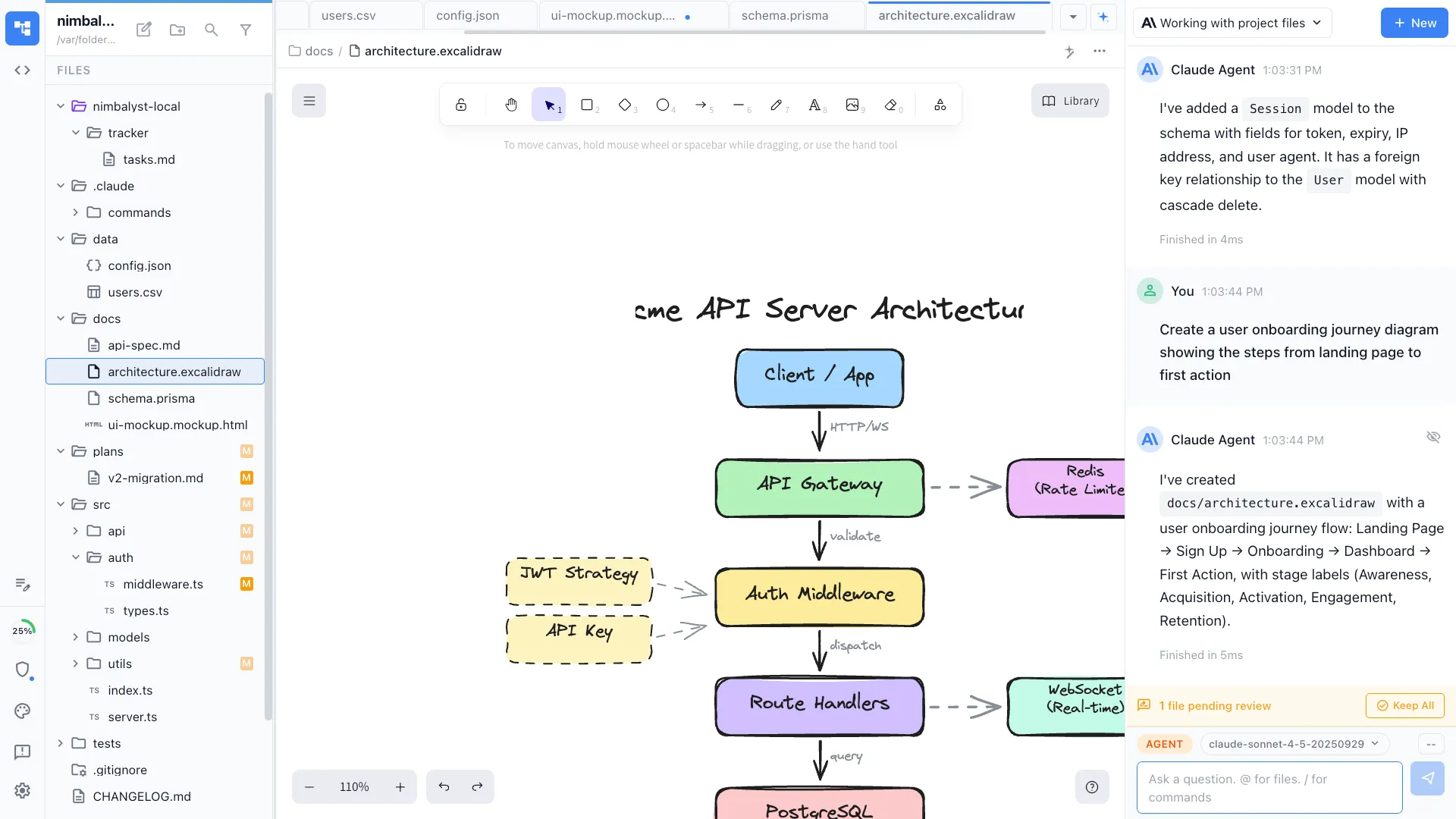
Visual editors
Edit markdown, mockups, diagrams, and data models with AI support. Warp is text and shell.
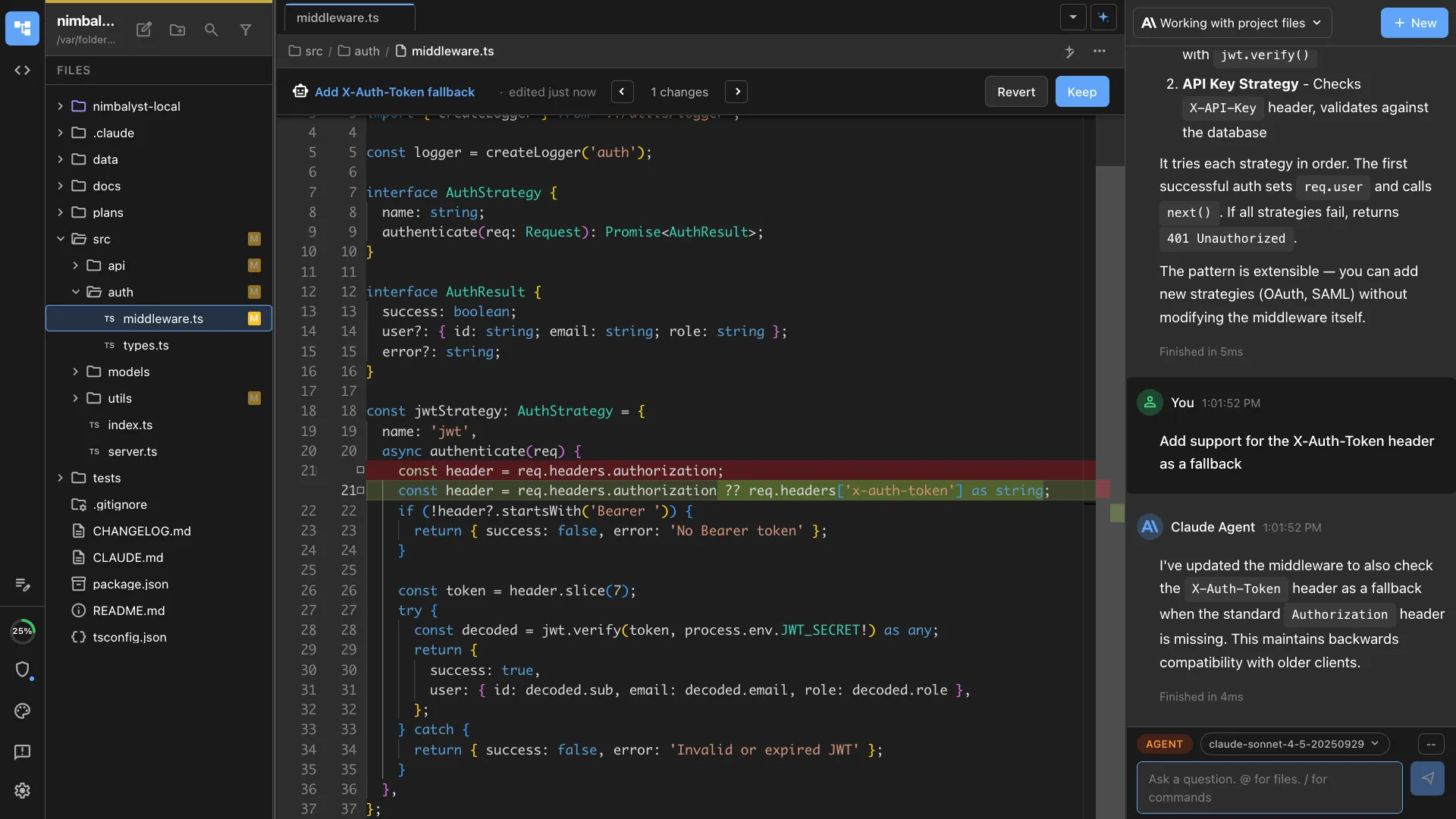
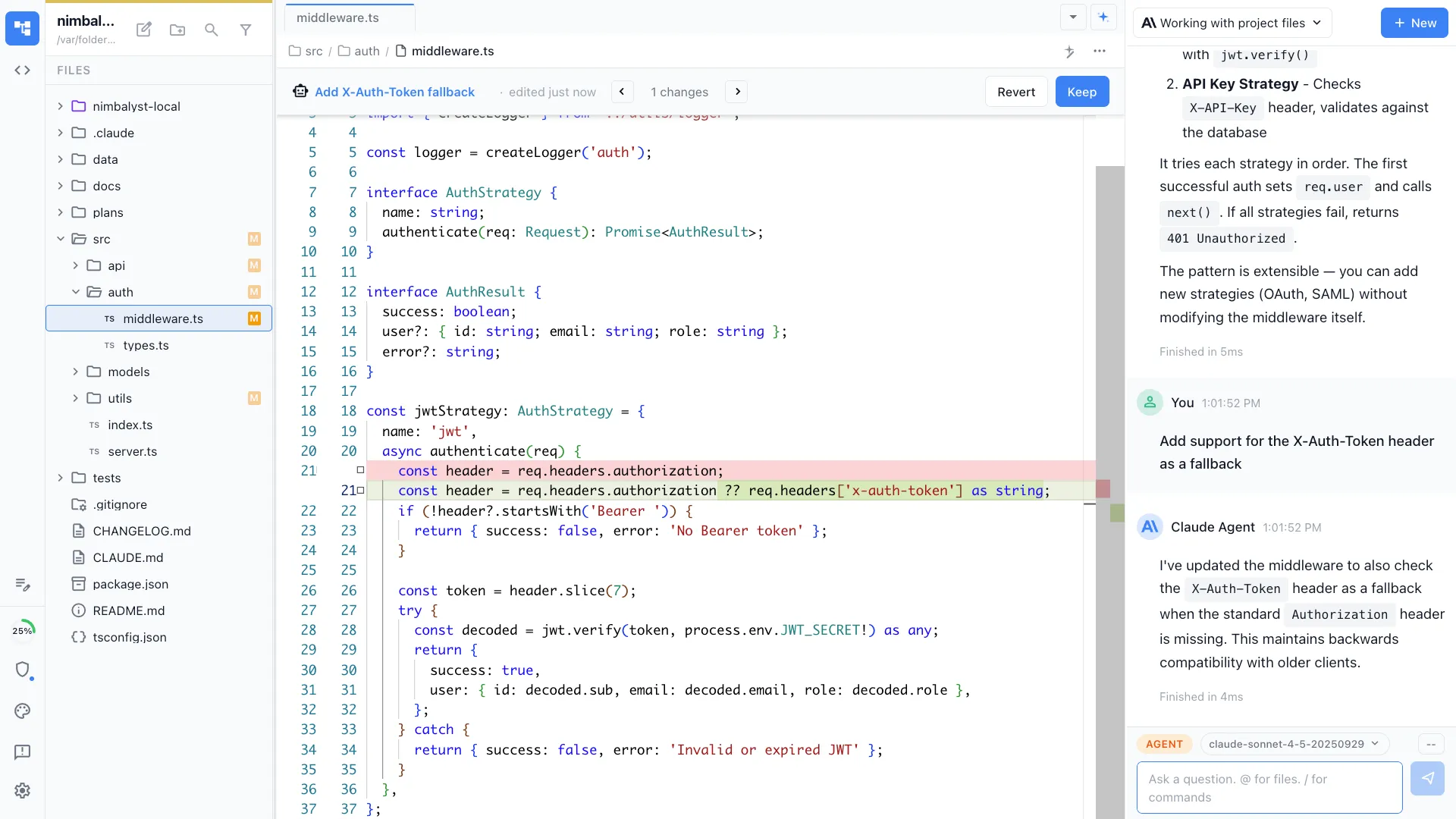
Inline diff review across file types
Approve or reject AI changes file by file across the whole project. Warp's Agent Mode operates inside the terminal output stream.
Honest Assessment
Where Warp is stronger
Best-in-class terminal experience
Warp is the most polished modern terminal: fast, beautiful, and with thoughtful command-history features.
Shell-native AI
Warp AI converts natural language to shell commands inline. For terminal-heavy workflows, that is a real productivity win.
Recommendation
Who should use which
Choose Nimbalyst if…
You want a visual workspace around Claude Code or Codex with parallel sessions, optional one-click git worktree isolation per session, and visual editors for non-code artifacts.
Choose Warp if…
You live in the terminal and want the most polished AI-augmented shell experience available.
More Comparisons
Related comparisons
Want your agents, code, docs, and visual planning in one workspace? Try Nimbalyst free.
Free for individuals. Works with your existing Claude Code or Codex subscription or API key.
Nimbalyst Teams is multiplayer. Your whole team, Codex, and Claude Code in one shared workspace.