Comparison
Nimbalyst vs Claude Cowork
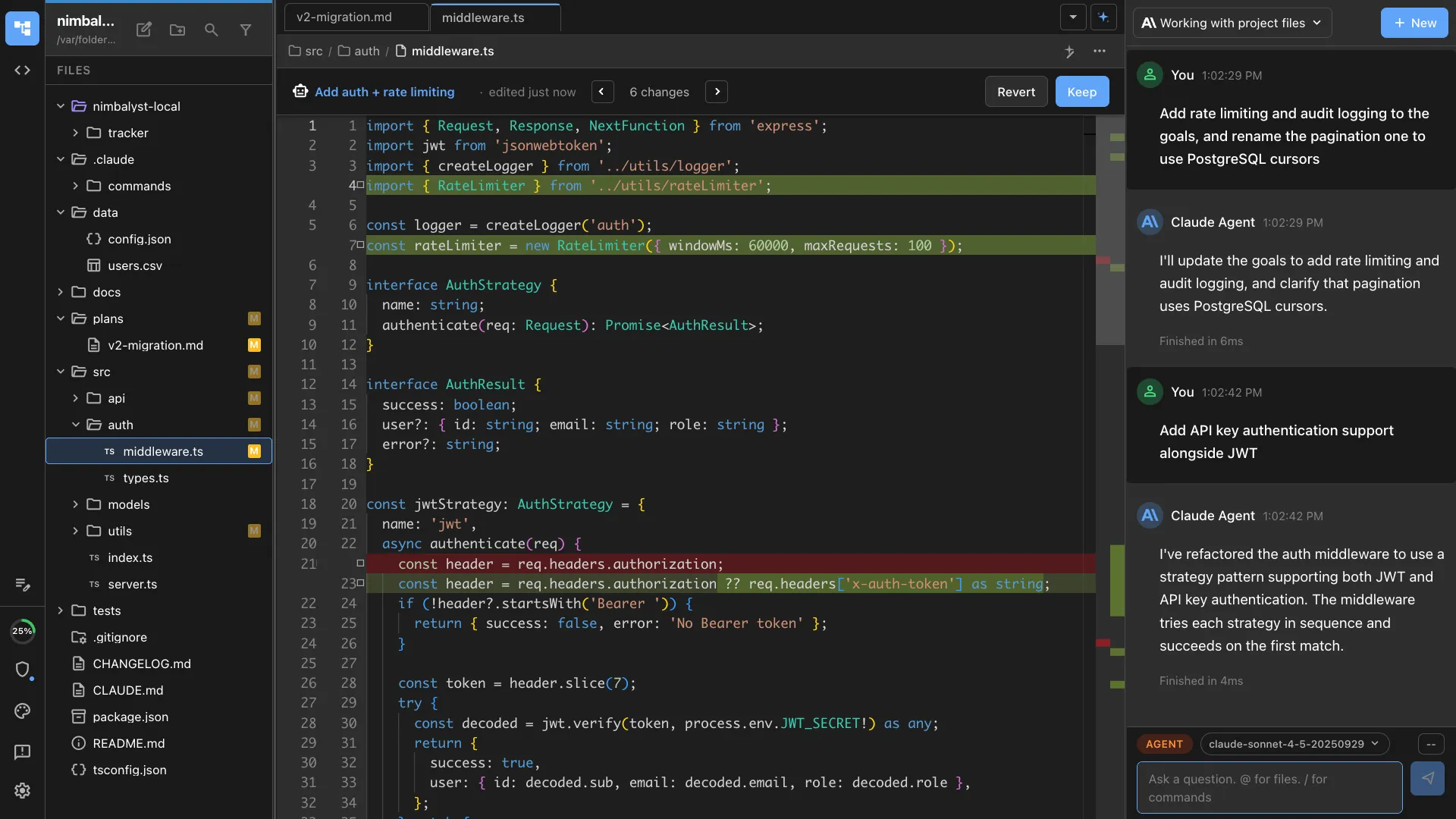
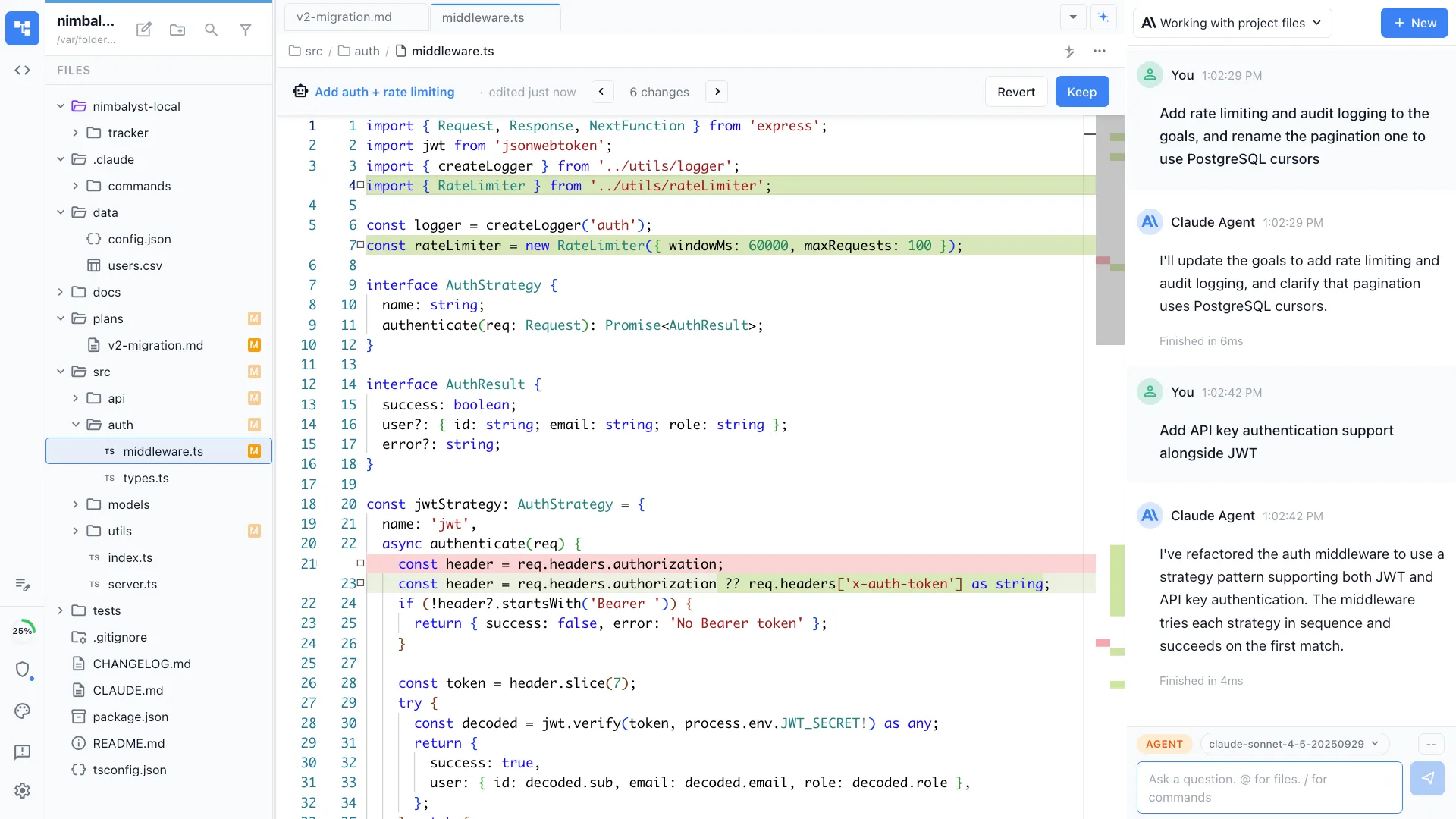
Claude Cowork is Anthropic's desktop agent for research, file workflows, and finished deliverables. Nimbalyst is the open-source visual workspace for building with Codex, Claude Code, and more. If you're a builder, Nimbalyst gives you session management, task tracking, git-aware workflows, and visual editors for markdown, mockups, diagrams, spreadsheets, and code.
Free for individuals. Works with your existing Claude Code or Codex subscription or API key.
Why People Switch
Why people switch from Claude Cowork
Your work is software, not documents
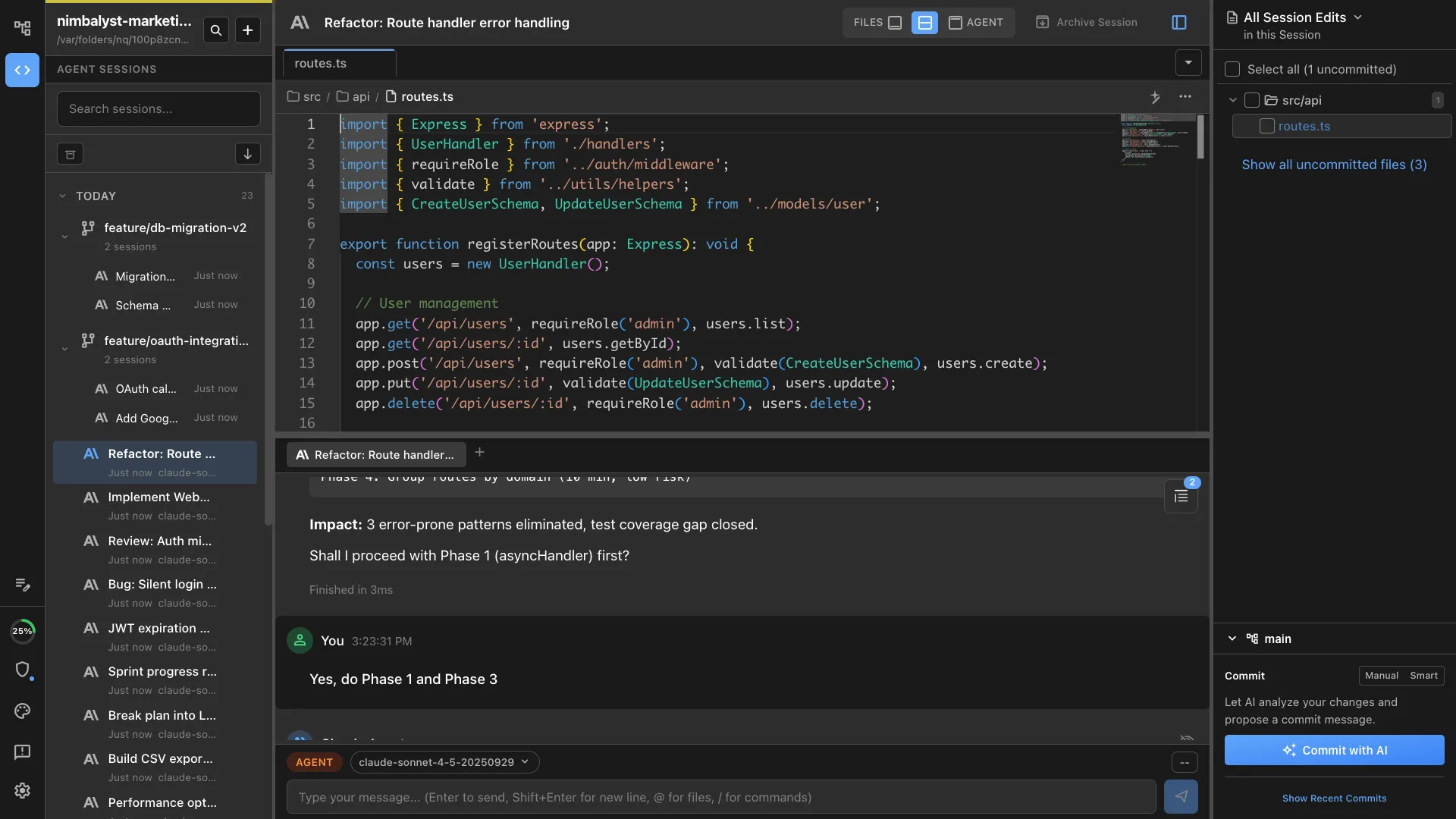
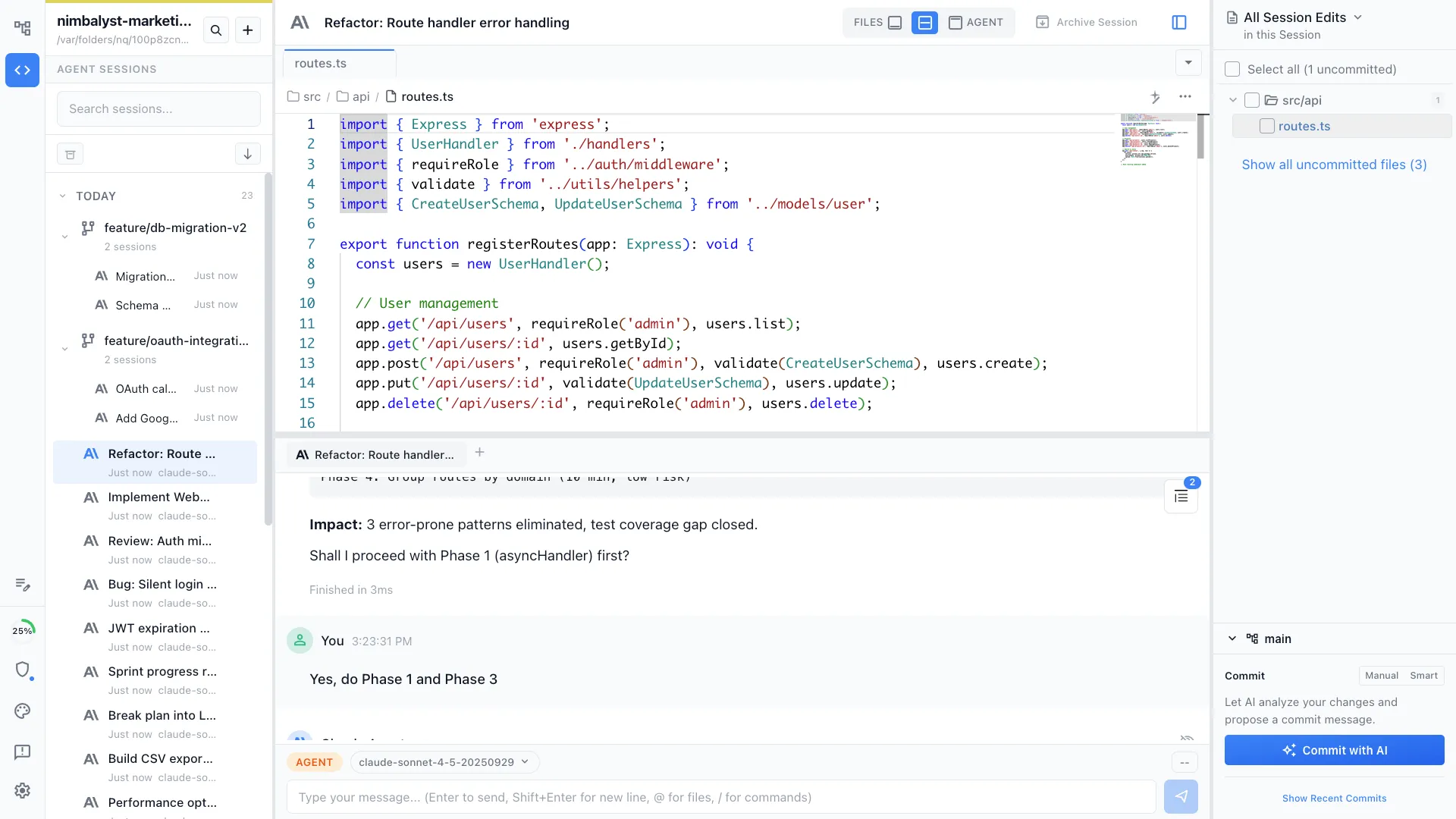
Cowork is tuned for research and finished deliverables. Builders want git branches, visual diff review, and many coding sessions at once, which is what Nimbalyst is built around.
You want more than Claude
Cowork runs on Claude only. Nimbalyst runs Claude Code, OpenAI Codex, OpenCode, and Copilot side by side, so you can route each task to the agent that fits it.
You are on Linux
The Claude desktop app that hosts Cowork ships for macOS and Windows. Nimbalyst also runs on Linux, with a native iOS companion app alongside it.
You want it open source
Nimbalyst's desktop and iOS apps are MIT licensed and free for individual use.
You manage many sessions at once
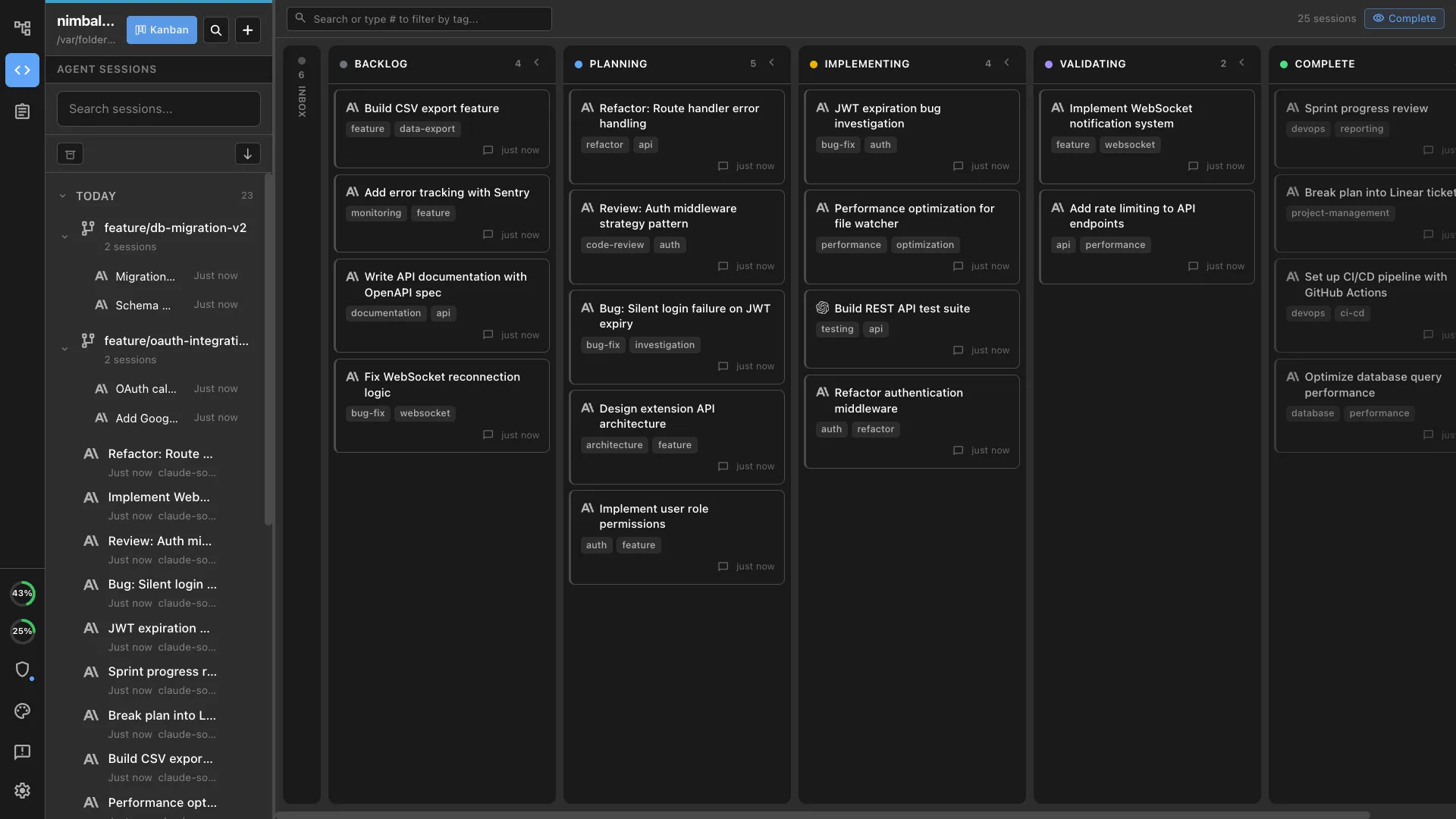
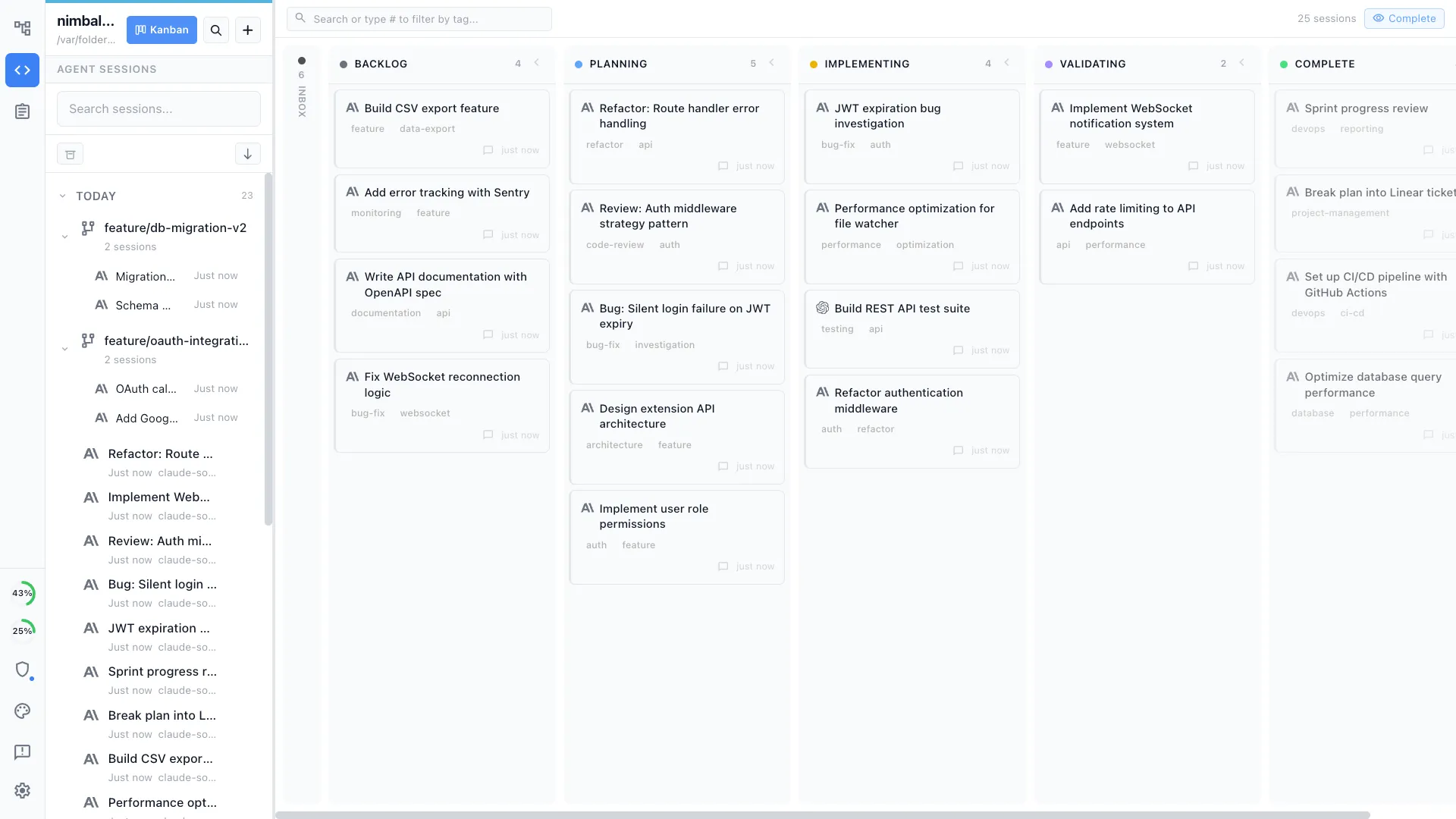
A session kanban board with per-session git worktrees keeps parallel agent work organized, rather than one delegated task at a time.
Overview
Two tools, different approaches
Nimbalyst
Nimbalyst is an AI-native workspace built on top of Claude Code and Codex. It adds a session kanban board for managing parallel agents, visual editors for markdown, mockups, diagrams, and data models, built-in planning and task tracking, and a mobile companion app. You get the full power of Claude Code inside a workspace designed for managing many development sessions, not just completing one delegated task.
Claude Cowork
Claude Cowork is Anthropic's research-preview desktop workflow for non-technical knowledge work. It can work across local folders, browser use, plugins, and scheduled tasks to produce research, analysis, organized files, and finished documents. It uses the same underlying engine as Claude Code, but the product is optimized for delegation rather than software development.
Feature Comparison
Side-by-side breakdown
Nimbalyst Advantages
Where Nimbalyst shines
Built for many software sessions
Claude Cowork can run multiple delegated tasks, but Nimbalyst is designed around active software sessions. You can sort work by phase, monitor progress, and move across projects without losing the thread.
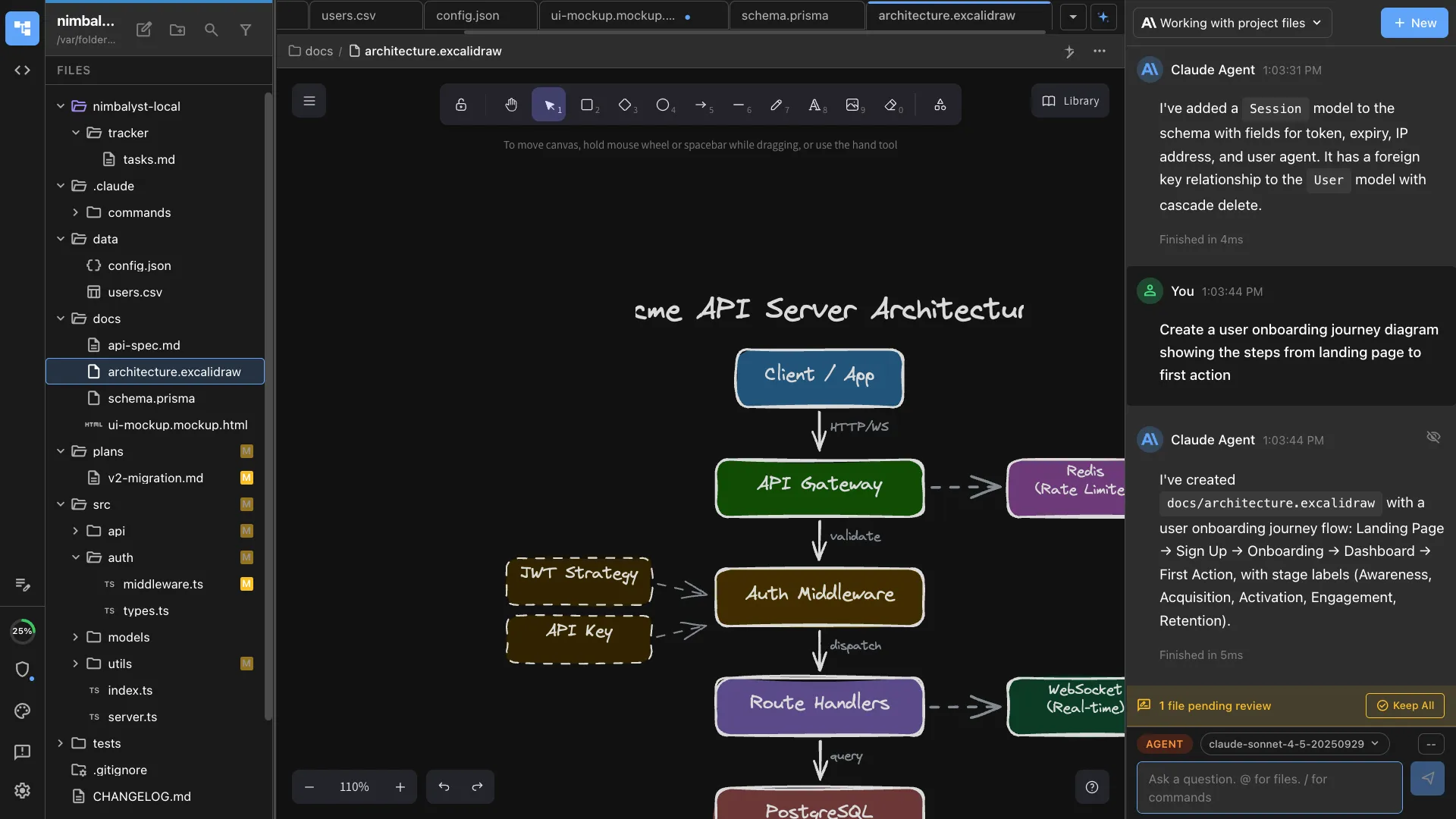
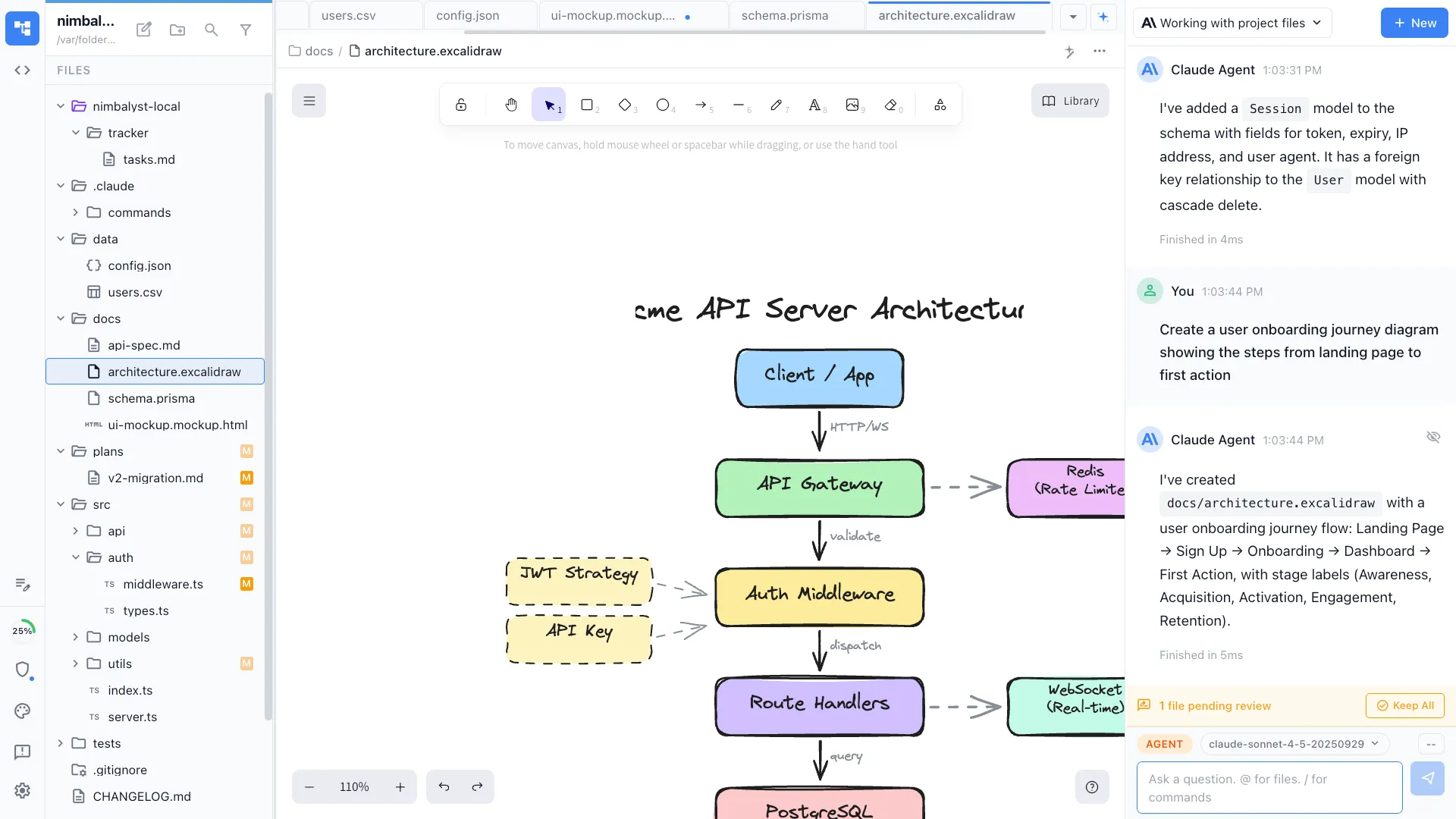
Visual artifacts live next to the code
Create diagrams, mockups, data models, and markdown in dedicated editors that your agent can manipulate directly. Claude Cowork is focused on deliverables, not developer-native visual tools.
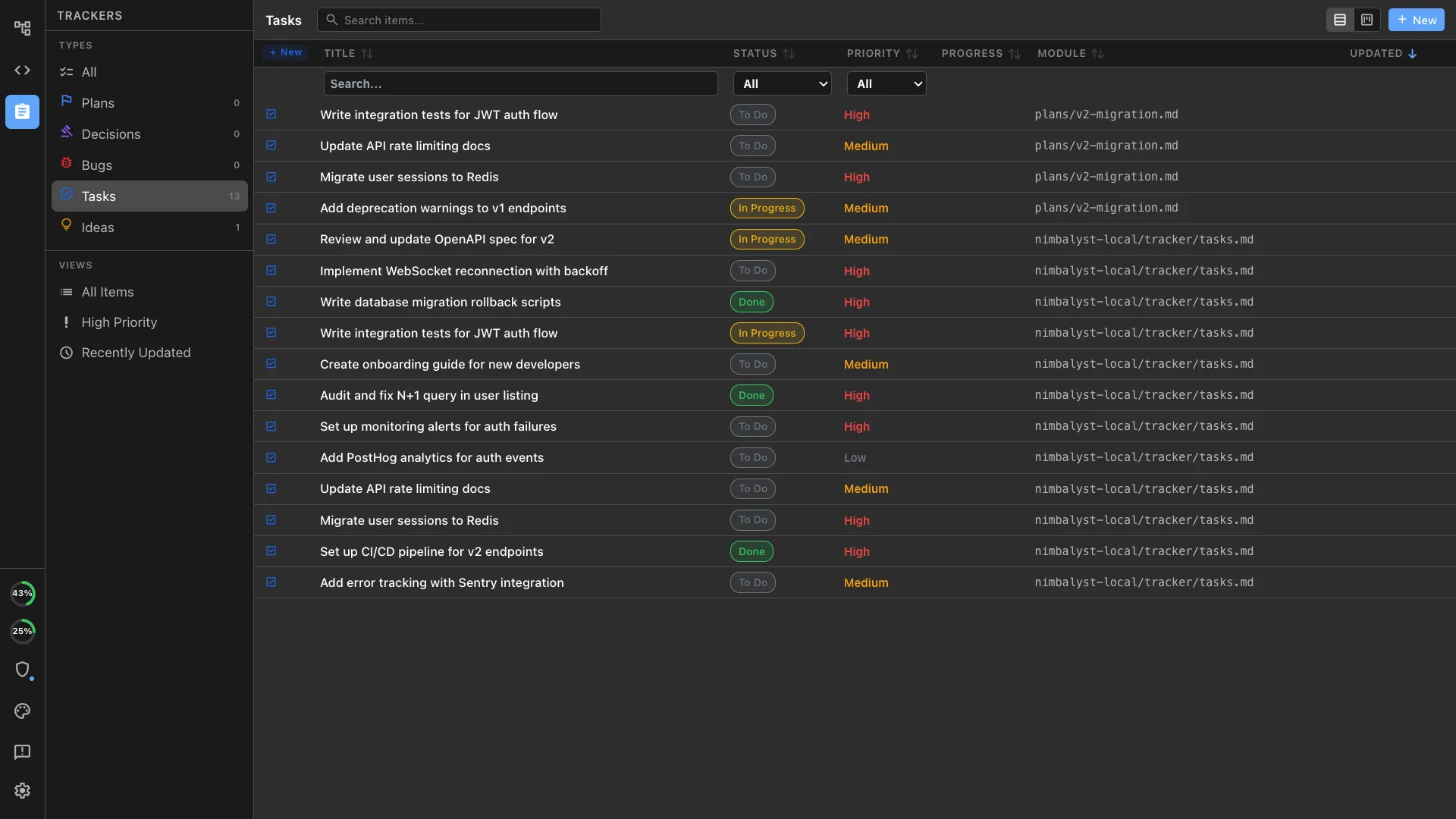
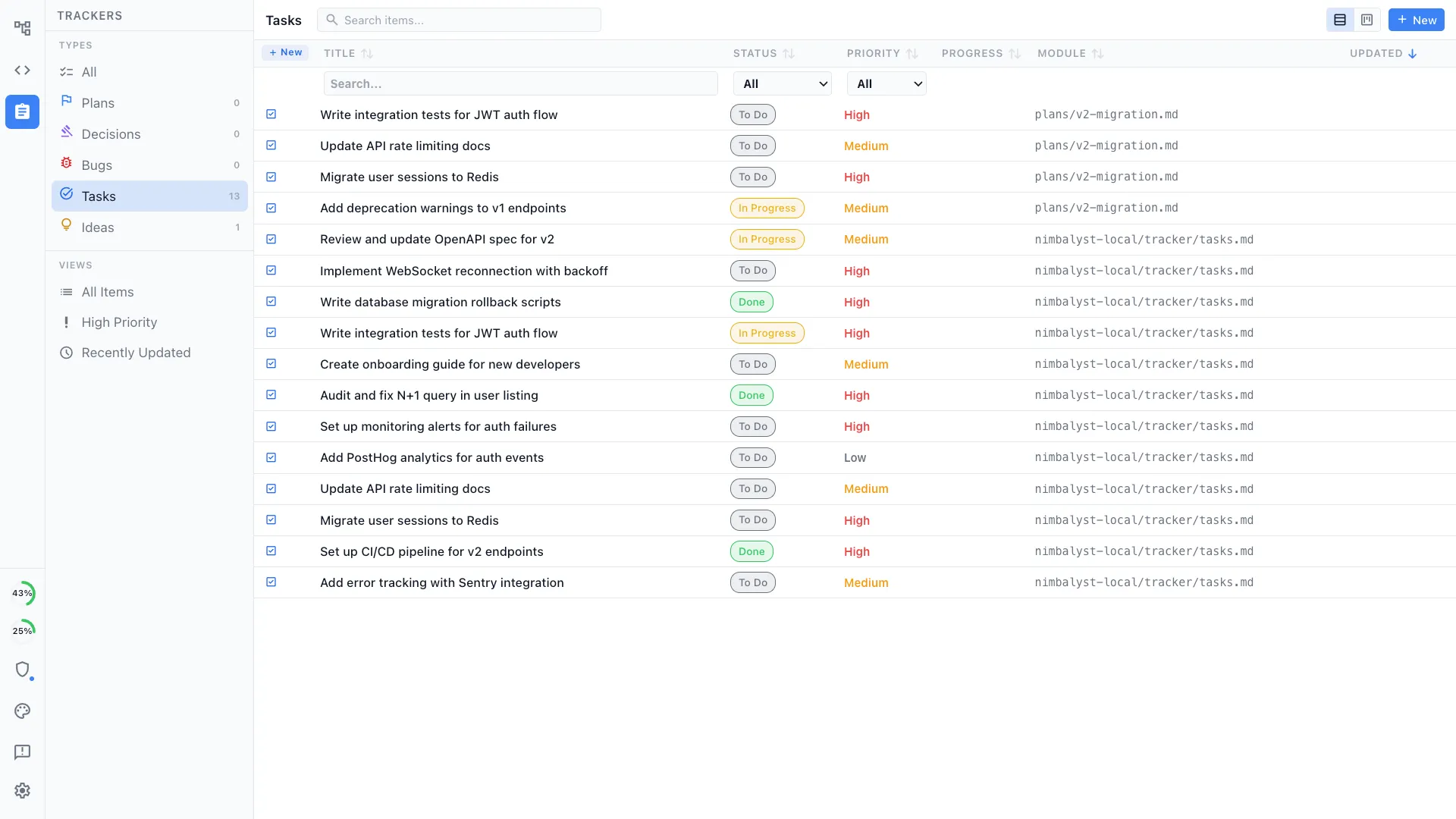
Planning and tracking for shipping
Plan work, track progress, link tasks to sessions, and keep implementation tied to the project state. Claude Cowork can plan within a task, but it is not a software project workspace.
Honest Assessment
Where Claude Cowork is stronger
Better fit for research and operations work
Claude Cowork is explicitly designed for non-technical tasks like research briefs, document synthesis, local file organization, and recurring admin work. That makes it a better fit than Nimbalyst for knowledge-work delegation.
Browser use, plugins, and scheduled tasks
Cowork can browse websites through Claude in Chrome, use desktop plugins, and run scheduled tasks from the Claude desktop app. Those capabilities are valuable when the job is gathering information and producing a finished deliverable.
Contained workspace
Cowork works inside the folders you explicitly share and stays within that protected environment. That narrower scope can be a benefit when you want a tightly bounded desktop agent.
Recommendation
Who should use which
Choose Nimbalyst if…
You are building software and want agent sessions, project planning, code review, git workflows, and visual editors to live in one workspace across multiple projects.
Choose Claude Cowork if…
You want to delegate research, file cleanup, analysis, or recurring knowledge-work tasks to Claude on desktop and you do not need a software-development workspace.
More Comparisons
Related comparisons
From the Blog
Related guides
What Is Claude Cowork? A 2026 Guide
A full primer on what Cowork does, how to use it, pricing, and supported platforms.
Claude Cowork on Windows and Linux
Platform support, the Windows Hyper-V requirement, and what Linux users can do instead.
Best Claude Cowork Alternatives in 2026
A practical roundup of tools to consider alongside or instead of Cowork.
Want a cross-platform, open-source workspace to run Claude Code and Codex side by side, with visual editors and task tracking? Download Nimbalyst free.
Free for individuals. Works with your existing Claude Code or Codex subscription or API key.
Nimbalyst Teams is multiplayer. Your whole team, Codex, and Claude Code in one shared workspace.